Quick answer
A women's health clinic website should list each service with its length and fee, let patients book only genuinely free times, and respect privacy with an option for discreet messages. Helpful extras include cycle-aware booking for screening visits and a pregnancy planner that offers the next visit. Staff should confirm every request from one front-desk panel.
Key takeaways
- Show every service with its length, fee and video option.
- Offer discreet messages that leave out the clinic type and service.
- Cycle-aware booking helps patients pick better days for screening.
- Staff should confirm each request from one simple panel.
What do patients need from a women's health clinic website?
Booking a gynecology or obstetrics visit can feel more personal than booking a checkup. Patients often want to know exactly what a visit involves, what it costs and who they will see before they commit. Many also care about privacy, including what shows up in a text message on a shared phone.
A women's health clinic website should answer those concerns calmly and clearly. It should make booking simple, show real availability and respect the patient's privacy at each step. Your front desk, in turn, needs an easy way to confirm and manage visits.
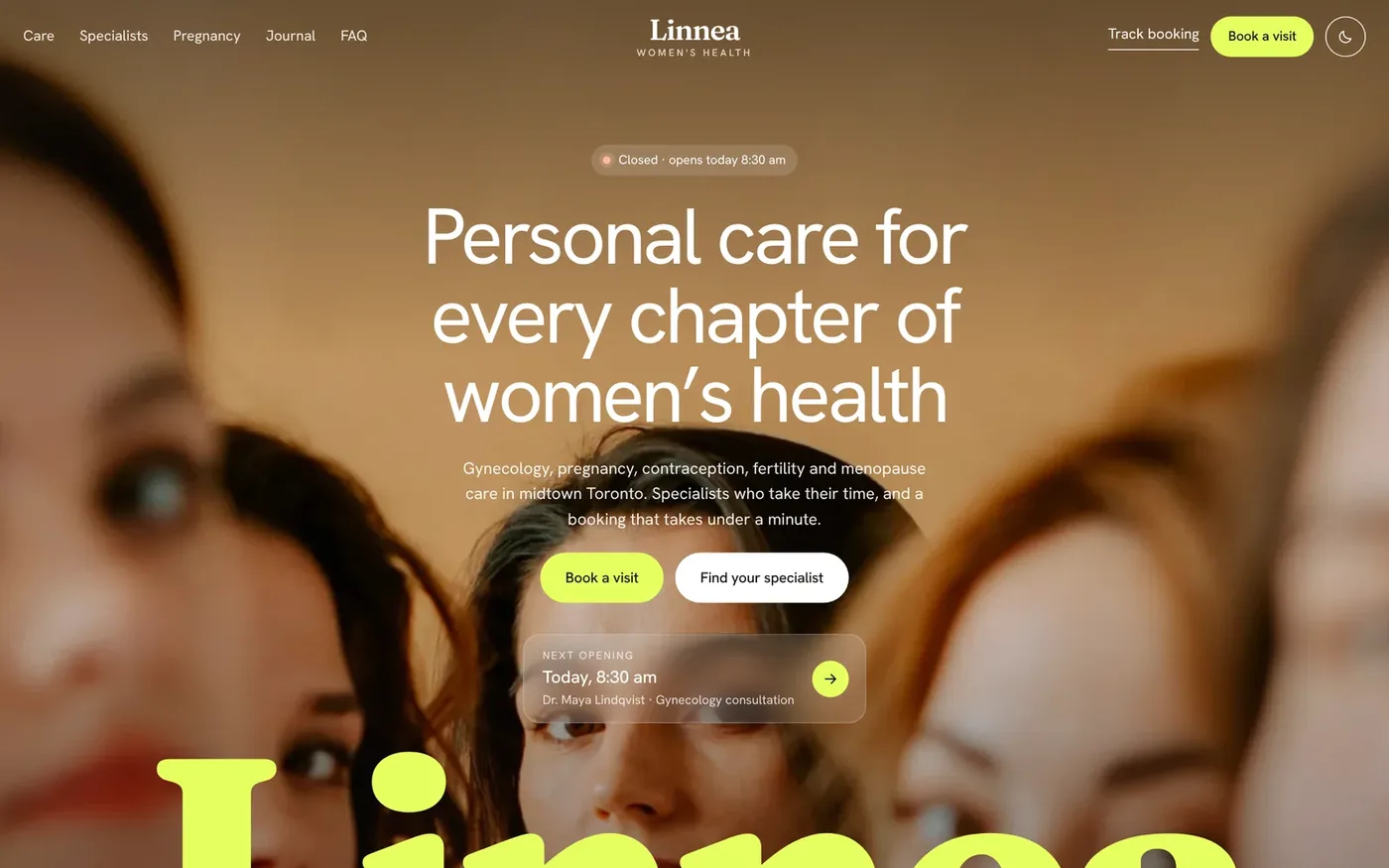
This guide walks through each piece, using Linnea Women's Health, one of our ready-made websites, as the worked example. You can open the Linnea live demo to see each feature as you read.
Why should you list services with times and fees?
Uncertainty stops people from booking. If a patient cannot tell how long a visit takes or what it costs, many will put it off.
Linnea lists every service with its length, its fee and whether it is available by video. Each one can be booked directly. Patients can also pick an area of care to see which specialists cover it and when they are next free. A family planning section compares contraception options at a glance, and an FAQ with a question form sends anything else straight to the clinic's inbox.
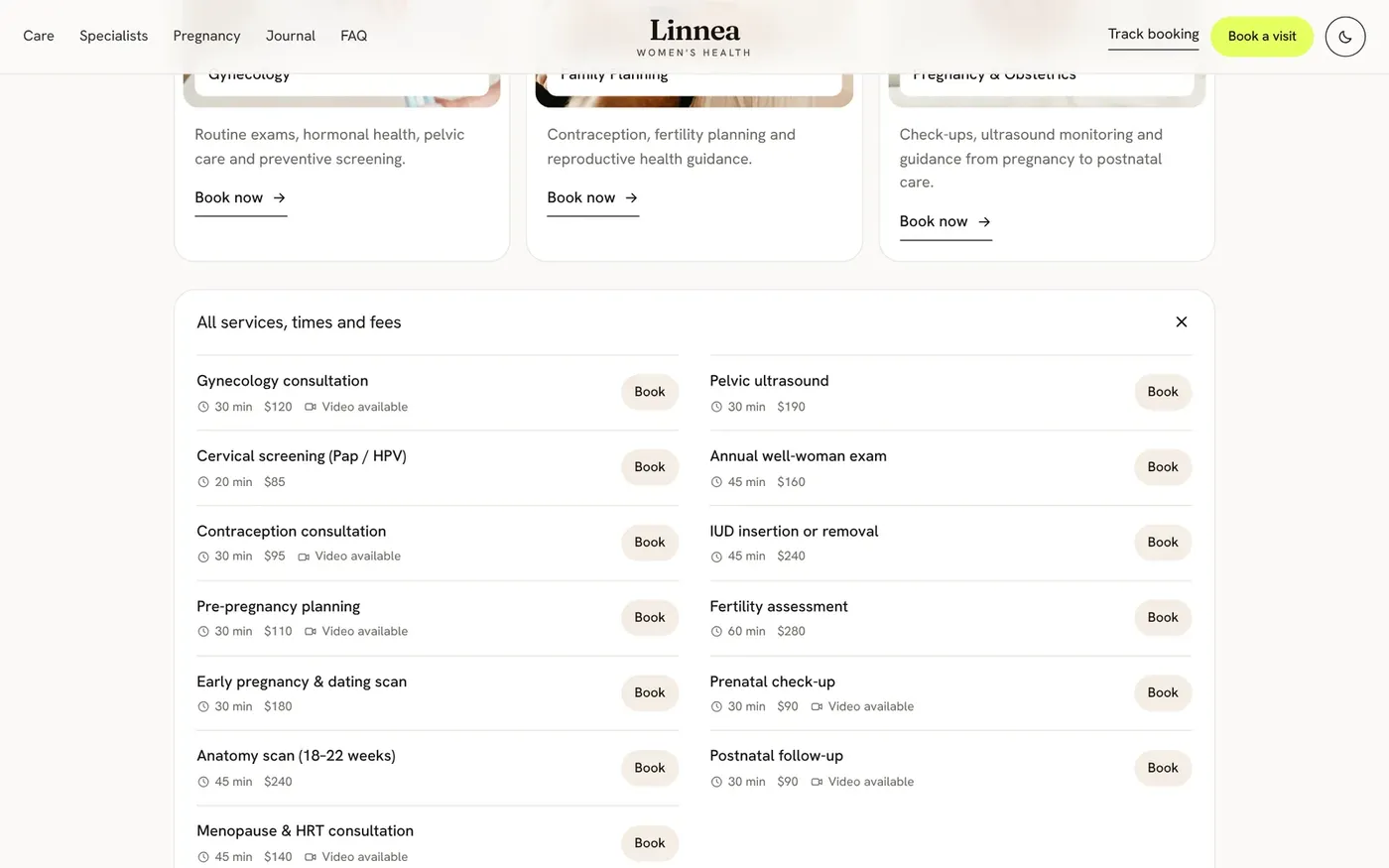
Your team edits services, durations, fees and video availability in the admin panel without touching code. Keep the descriptions plain and factual. Explain what the visit is for, not clinical advice about whether the patient needs it.
How can booking work around a patient's cycle?
Some screening visits, such as smear tests, are often better scheduled away from a period. Patients may not think about that until they arrive, and then the visit has to be moved.
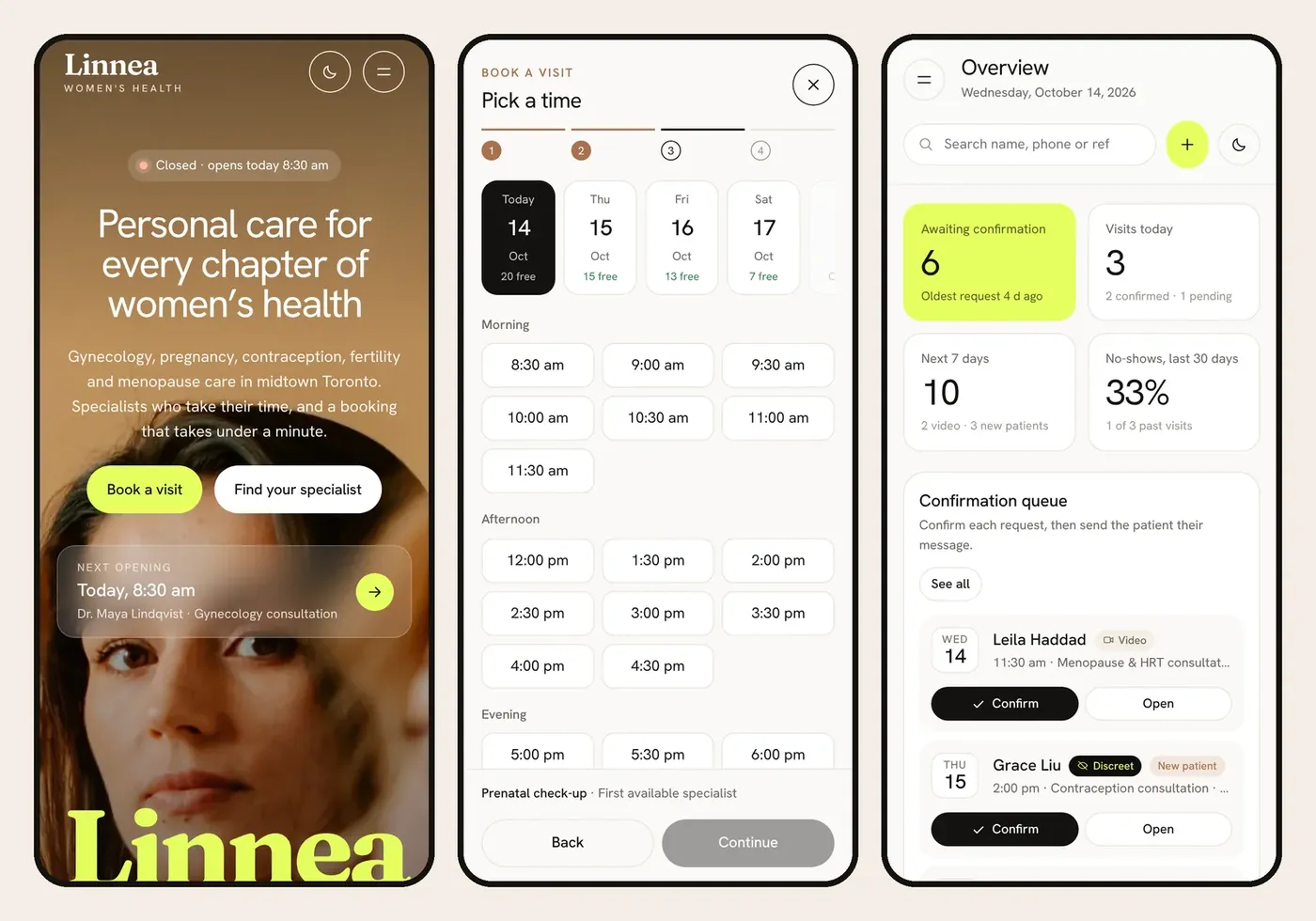
Linnea handles this with cycle-aware booking. Patients can mark when their period is likely, and the time picker marks those days. It still only shows genuinely free times, following clinic hours, lunch breaks, holidays and each doctor's days off. The site also has a cycle tracker that shows the fertile window and the best days for a smear test.
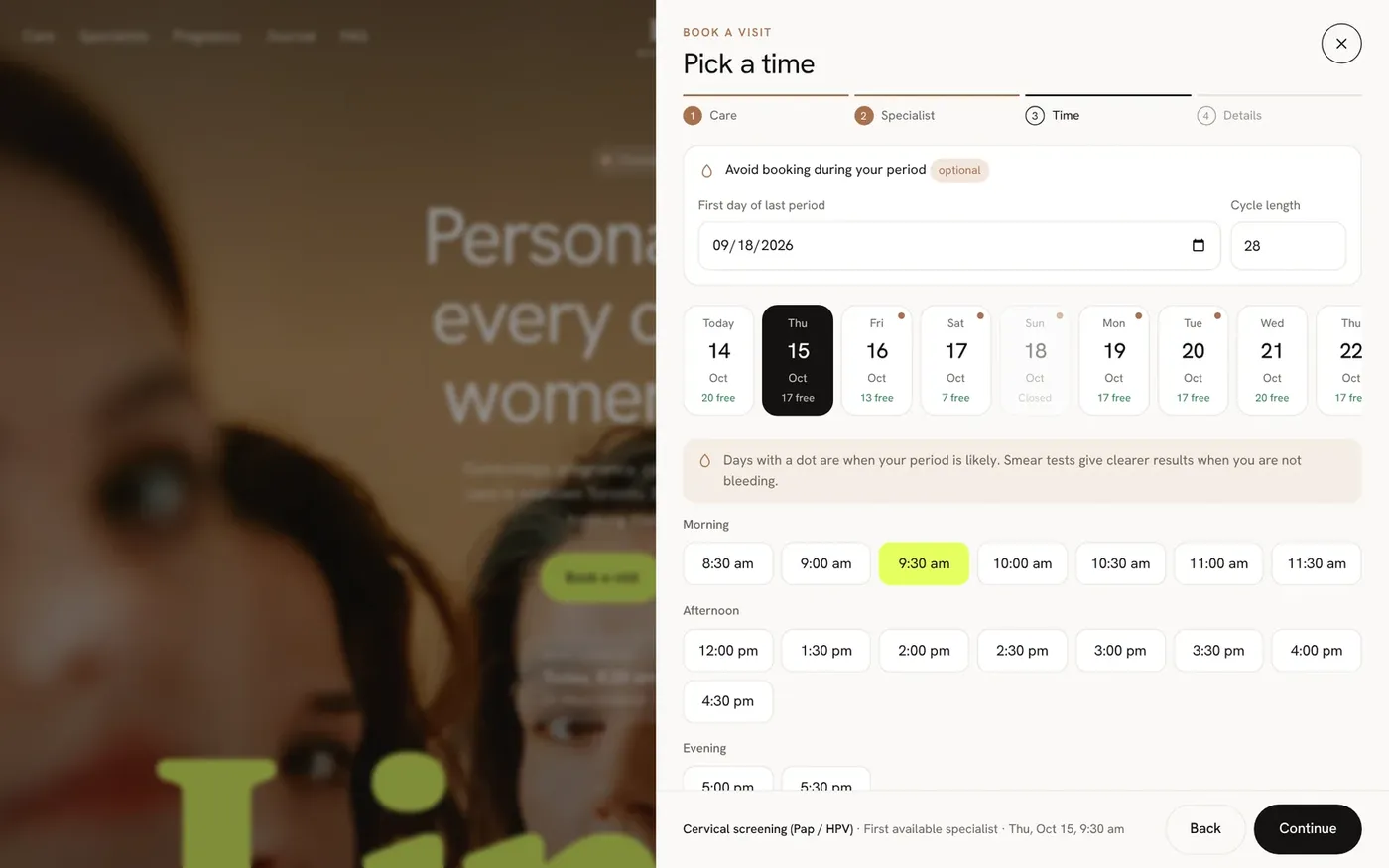
The full booking flow has four steps:
- Choose the care needed, in the clinic or by video.
- Pick a specialist or the first available, with each one's next opening shown.
- Choose a time from real free slots, with likely period days marked.
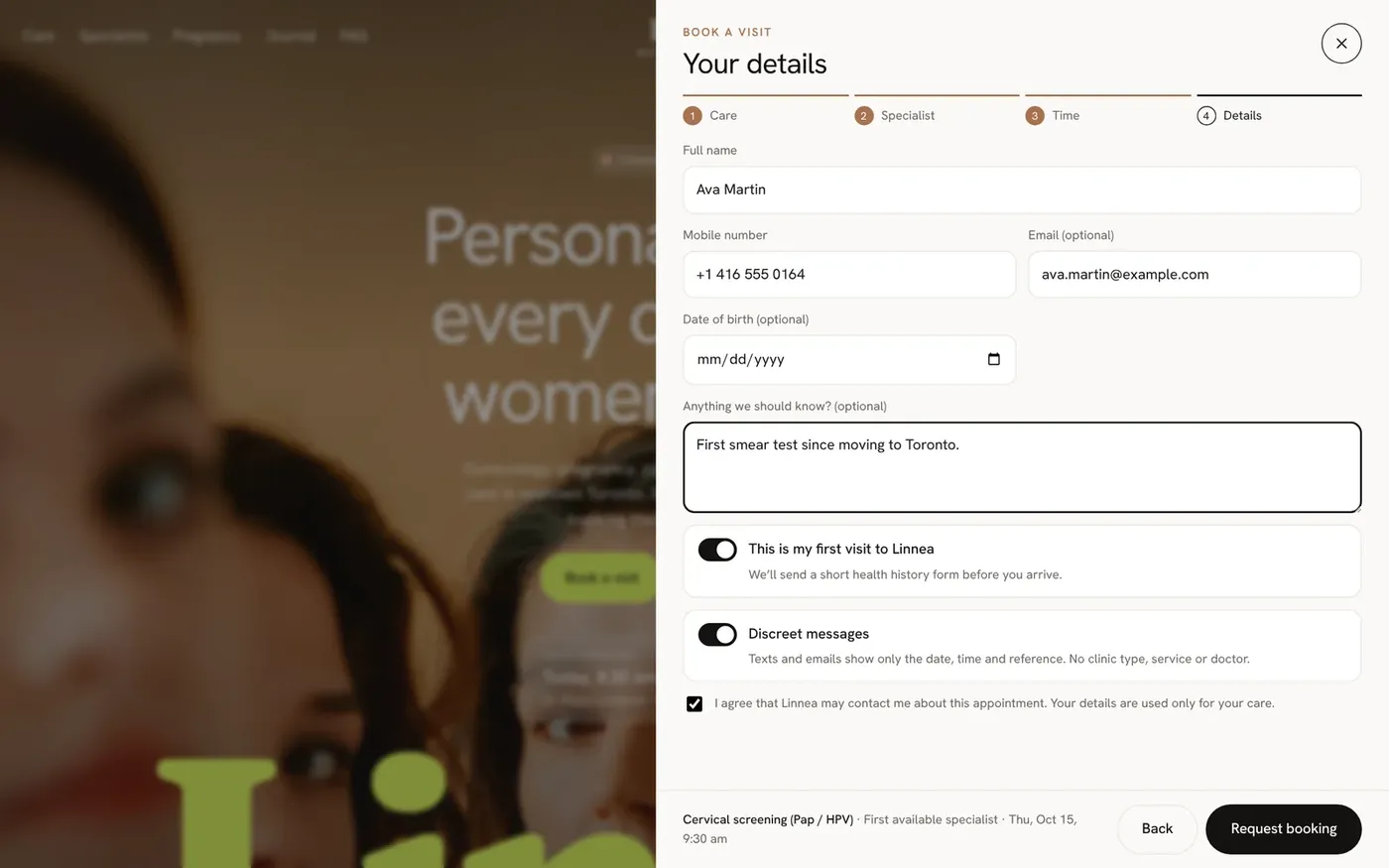
- Enter details, including a new-patient flag and the discreet messages option.
The patient gets an instant reference code, a booking summary and an add-to-calendar file. Your clinicians decide timing advice. The site only makes it easier for patients to act on it.
How does a pregnancy planner help patients book?
Expecting parents often lose track of which visit comes next. A planner turns that into a simple next step.
Linnea's pregnancy planner works out the current week, due date and baby size. It then offers the next recommended visit, such as a dating scan, anatomy scan or glucose screening, as a one-tap booking. Your clinic sets which visits it offers, so the timeline matches your care, not a generic one.
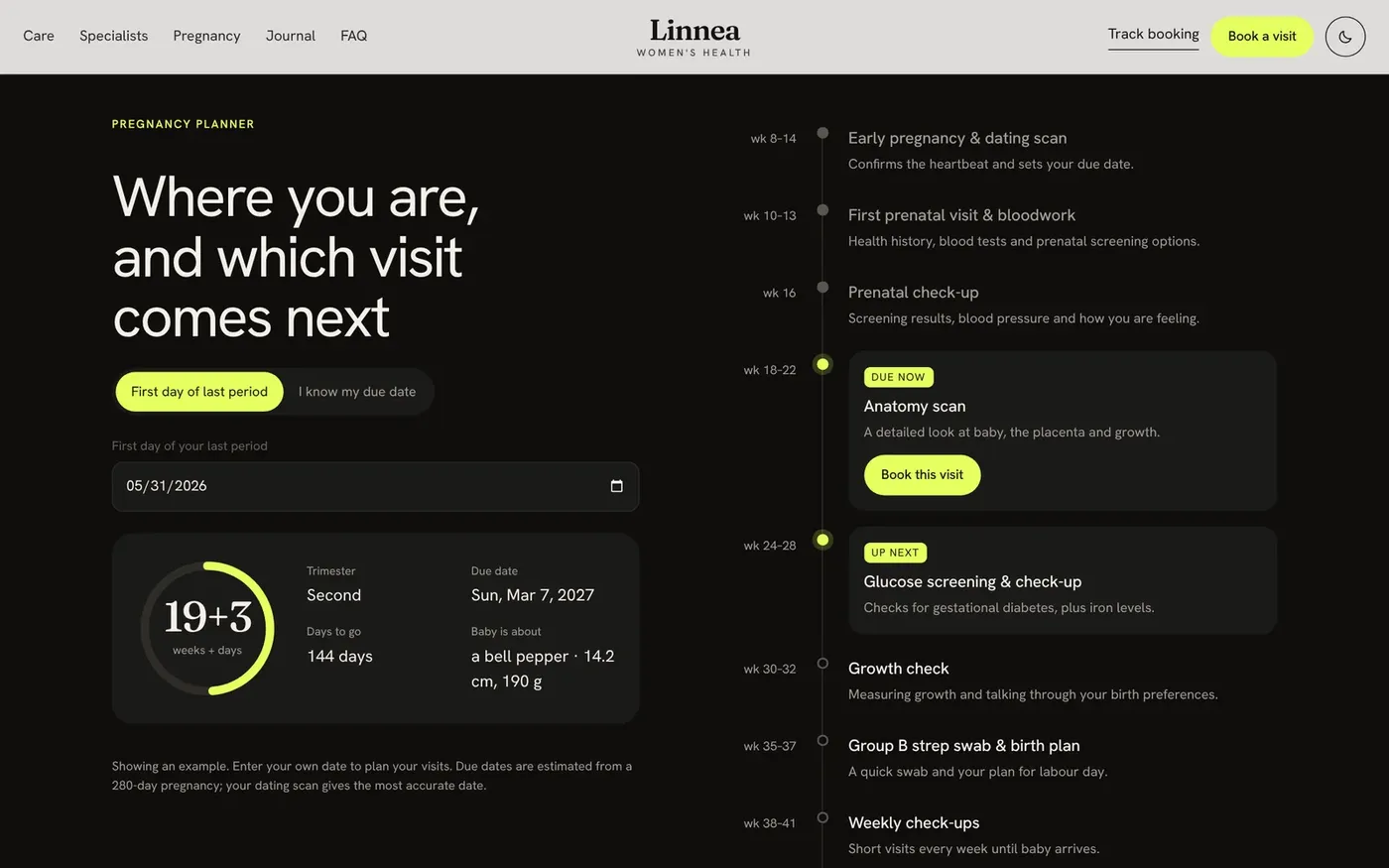
Treat the planner as a scheduling helper. Add a clear note that patients should follow their own clinician's advice, and that anything urgent should go straight to the phone or emergency care.
Why do discreet messages matter?
Appointment reminders can reveal a lot. A text that names the clinic type and service can be seen by a partner, a parent or a coworker glancing at a phone. For many patients, that matters.
Linnea includes a "discreet messages" option in the booking form. When a patient picks it, texts leave out the clinic type and the service. It is a small choice that shows patients you have thought about their privacy.
Linnea runs on standard PHP hosting with no database to set up, and patient data is stored in a protected file on the clinic's own server. Even so, privacy rules such as HIPAA may apply to how you store data and how you message patients, including by WhatsApp, SMS or email. Review your setup with your clinic's compliance advisor before launch. This guide is not legal advice.
What should the front-desk panel include?
Your team needs to see what needs attention, act on it fast and keep the schedule clean. Linnea's password-protected panel opens on an overview with requests to confirm, today's visits, specialist workload and recent activity.
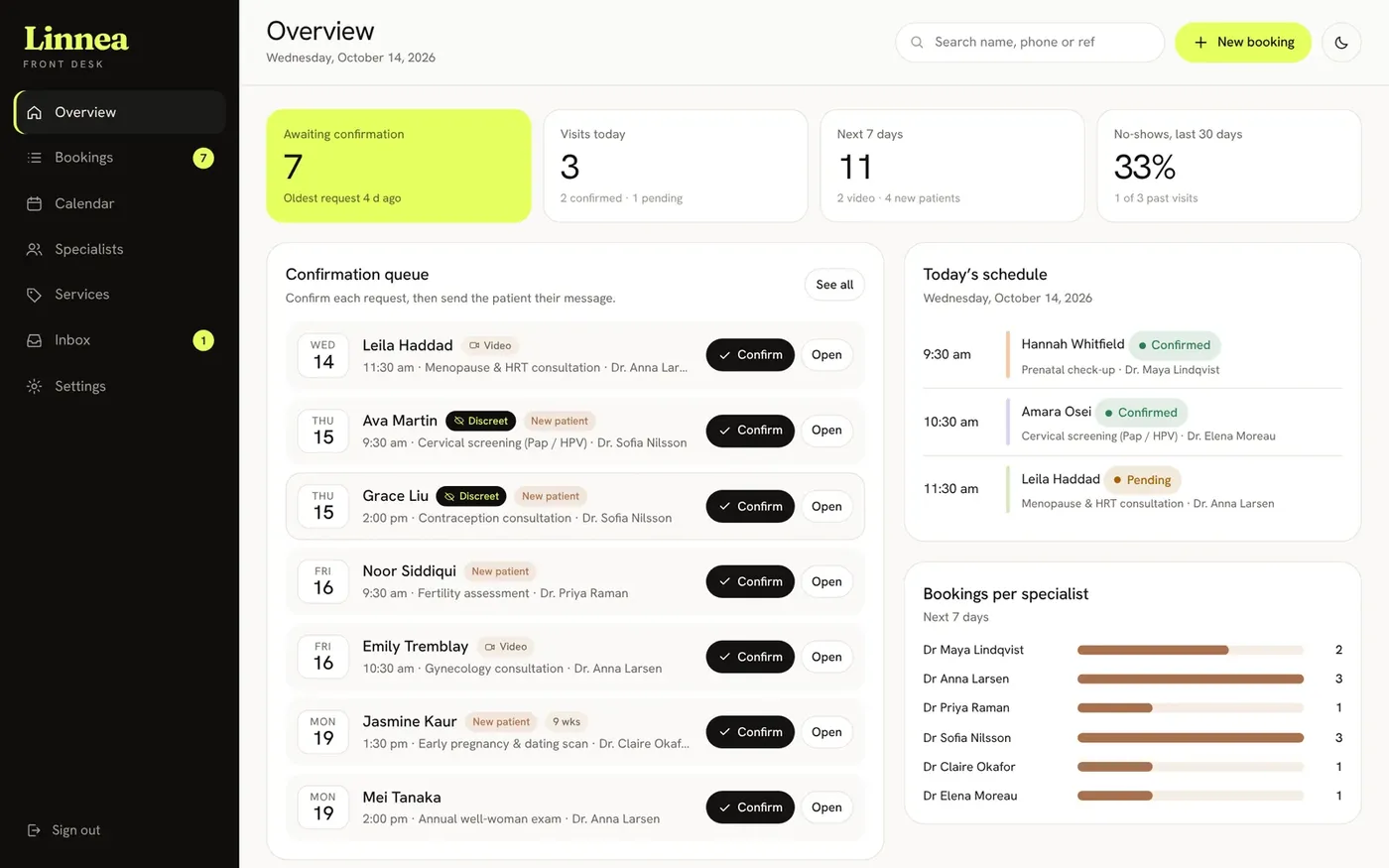
From there, staff can:
- Confirm a booking and send a ready-written WhatsApp, SMS or email in one tap.
- Reschedule into free slots only. Double booking is blocked automatically.
- Mark visits completed or no-show.
- Search, filter and bulk-confirm bookings, then export to CSV.
- See a week calendar across all specialists, with pending requests marked.
- Set each specialist's areas, working days and days off.
- Edit opening hours, lunch break, holidays, booking rules and an auto-confirm switch.
- Read website questions and newsletter sign-ups in one inbox.
Patients can check their booking with the reference and phone digits, and cancel online. The website, booking and admin panel all work on a phone, in light or dark mode.
Checklist: is your women's health clinic website patient-friendly?
- Every service shows its length and fee.
- Patients can see if a visit is available by video.
- Only genuinely free times can be booked.
- Screening visits can be planned around a likely period.
- Expecting patients can see and book their next visit easily.
- Patients can choose discreet messages.
- Each request gets an instant reference code.
- Staff confirm every request from one panel.
- Patients can track and cancel online.
- Your compliance advisor has reviewed data storage and messaging.
Anything missing is worth fixing, whoever builds your site. Start with privacy and pricing. Those two items tend to shape whether a patient feels comfortable booking at all.
How to get a women's health clinic website like Linnea
Linnea Women's Health is a ready-made website for gynecology, obstetrics and women's health clinics, priced at $1,200 one-time. We rebrand it with your clinic name, logo, colors, content and photos, connect it to your own domain and remove all demo branding. You own the domain, hosting and site. It is built to WCAG 2.1 AA accessibility guidelines.
- Open the Linnea live demo and book a test visit.
- Send an enquiry from our ready-made websites page or contact us.
- We reply within one business day. Payment comes only after that reply.
- Share your services, fees, specialists and branding, and we set it up.
Want a fully custom build instead? Our website plans start at $500, with a $500 Booking Panel add-on. Our marketing team can help new patients find you, starting with a free one-month demo. We are a remote team with no US office.
Want this done for you?
Ready-made websites from $500. Fixed prices, no contracts, and you own every account.