Quick answer
A dental website with online booking should offer only genuinely free times per dentist, let patients point to the tooth that hurts, show prices with an insurance estimate, and send each request to a front-desk queue for confirmation. Patients should be able to check or cancel their own booking, and the whole flow must work well on a phone.
Key takeaways
- Only show times that are truly free for the whole visit.
- A tooth chart tells the dentist what to expect before the visit.
- Prices and insurance estimates answer the calls your desk gets most.
- Your front desk should confirm every request from one simple screen.
Why do most dental websites fail to fill the schedule?
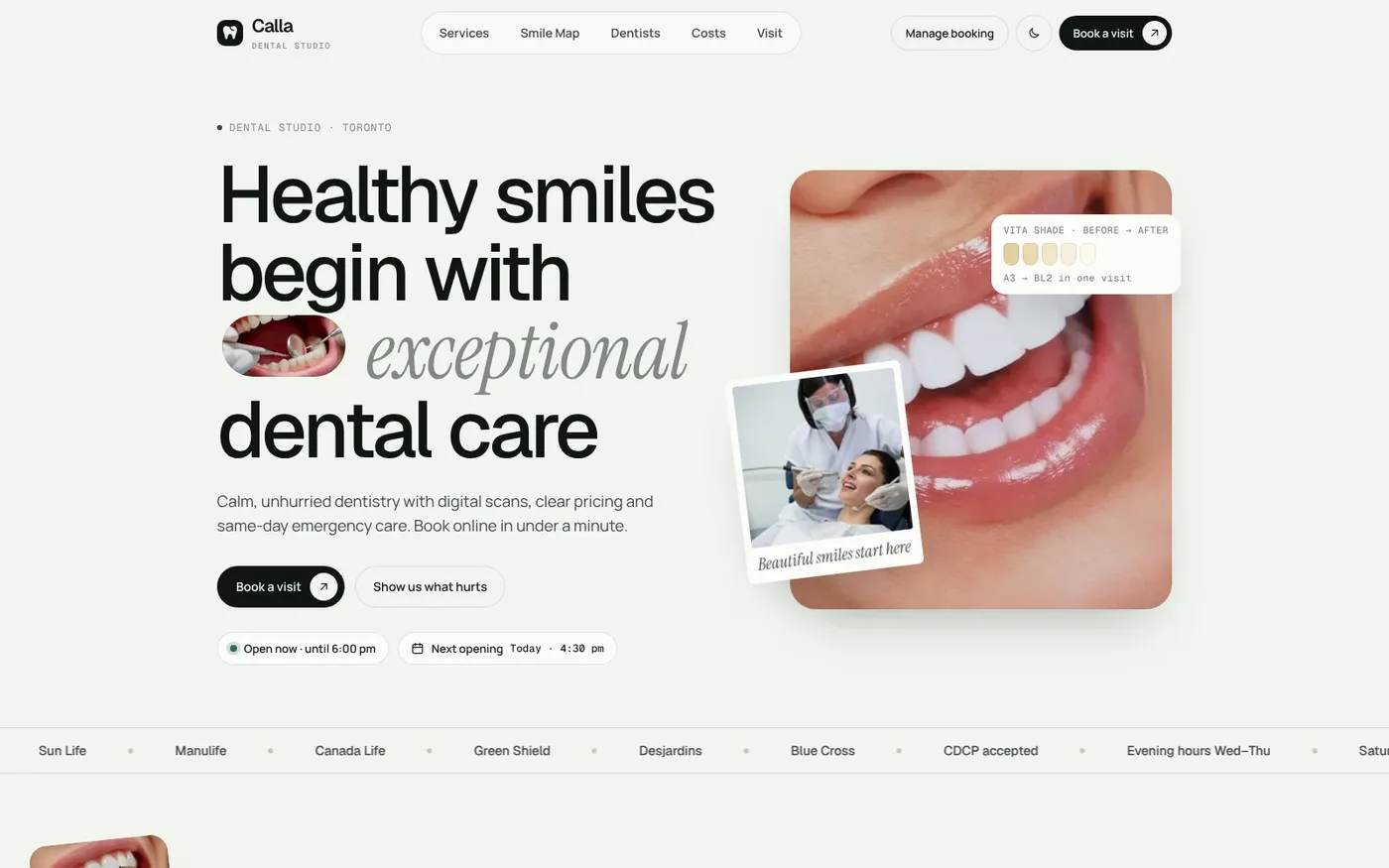
Most dental websites look fine. They have a smiling team photo, a list of services and a phone number. The problem is what happens next. A patient with a sore tooth at 9 p.m. cannot call. A busy parent does not want to wait on hold to ask about prices. So they close the tab and book with the practice down the road that lets them pick a time online.
A booking button alone does not fix this. Many sites link to a generic form that says "request an appointment" and then nothing happens for a day. Others show a calendar that offers times your dentists are not actually free. Both create work for your front desk and frustration for patients.
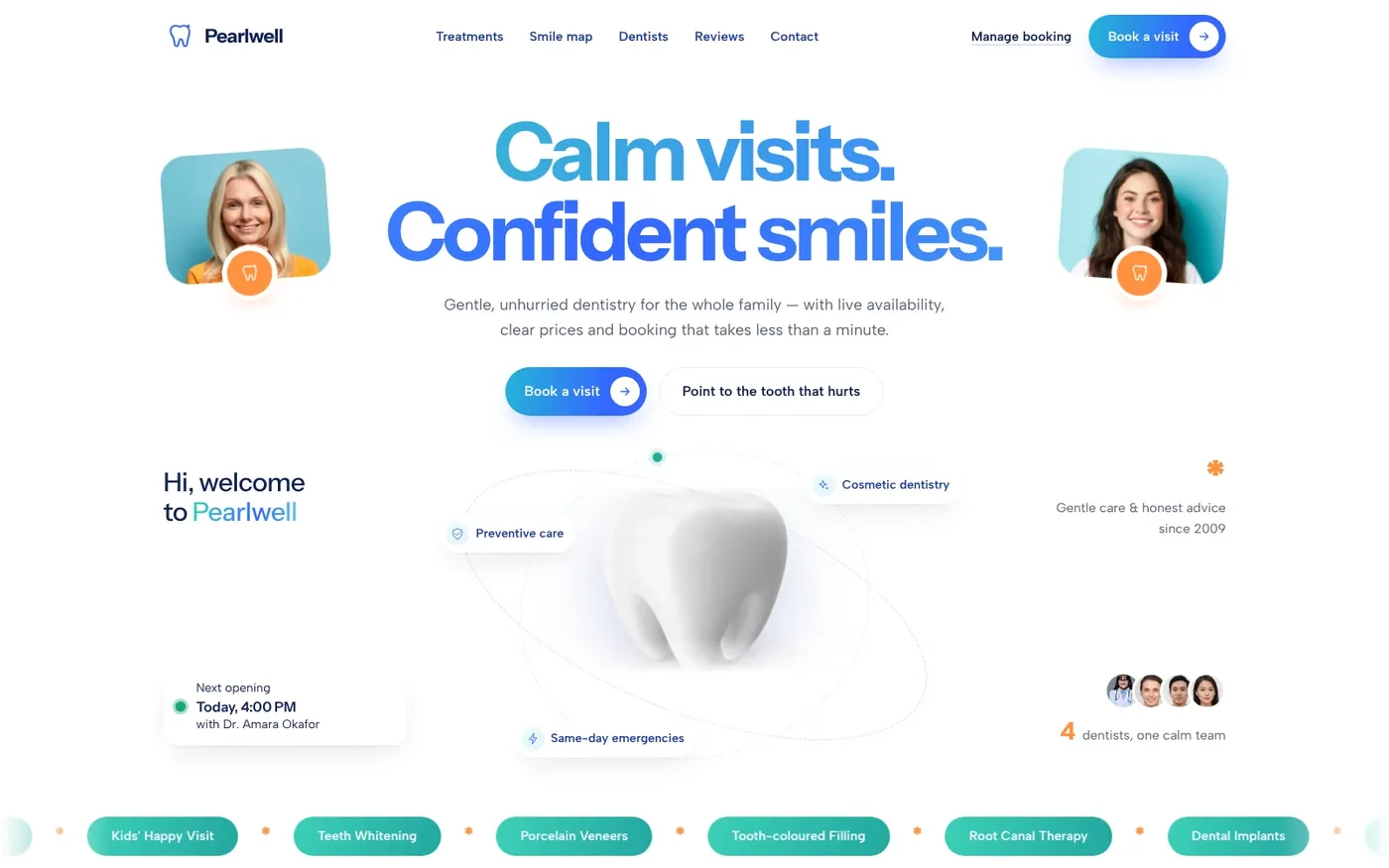
A good dental website with online booking solves three problems at once. It shows real availability. It answers the questions patients usually phone in about. And it gives your team a clear way to confirm each request. The rest of this guide walks through each part, using two of our ready-made dental websites, Pearlwell and Calla, as worked examples.
What should online booking on a dental website actually do?
Online booking should feel like talking to a well-organized receptionist. The patient picks what they need, who they want to see and when they can come. The site should never offer a time that is already taken.
Here is the four-step flow both Pearlwell and Calla use:
- Choose a treatment. The visit length and price are shown up front, so there are no surprises.
- Choose a dentist or "first available". Only dentists who offer that treatment are listed, and each shows their next free time.
- Pick a date and time. The calendar only offers slots that are free for the whole visit. Booked times, closed days, holidays and each dentist's days off are left out.
- Enter details. New or returning patient, notes and contact details. Calla also asks about insurance and consent to contact.
When the request is sent, the patient gets an instant booking reference and an add-to-calendar option. That reference matters. It tells the patient their request went through, and it lets them check on it later without calling.
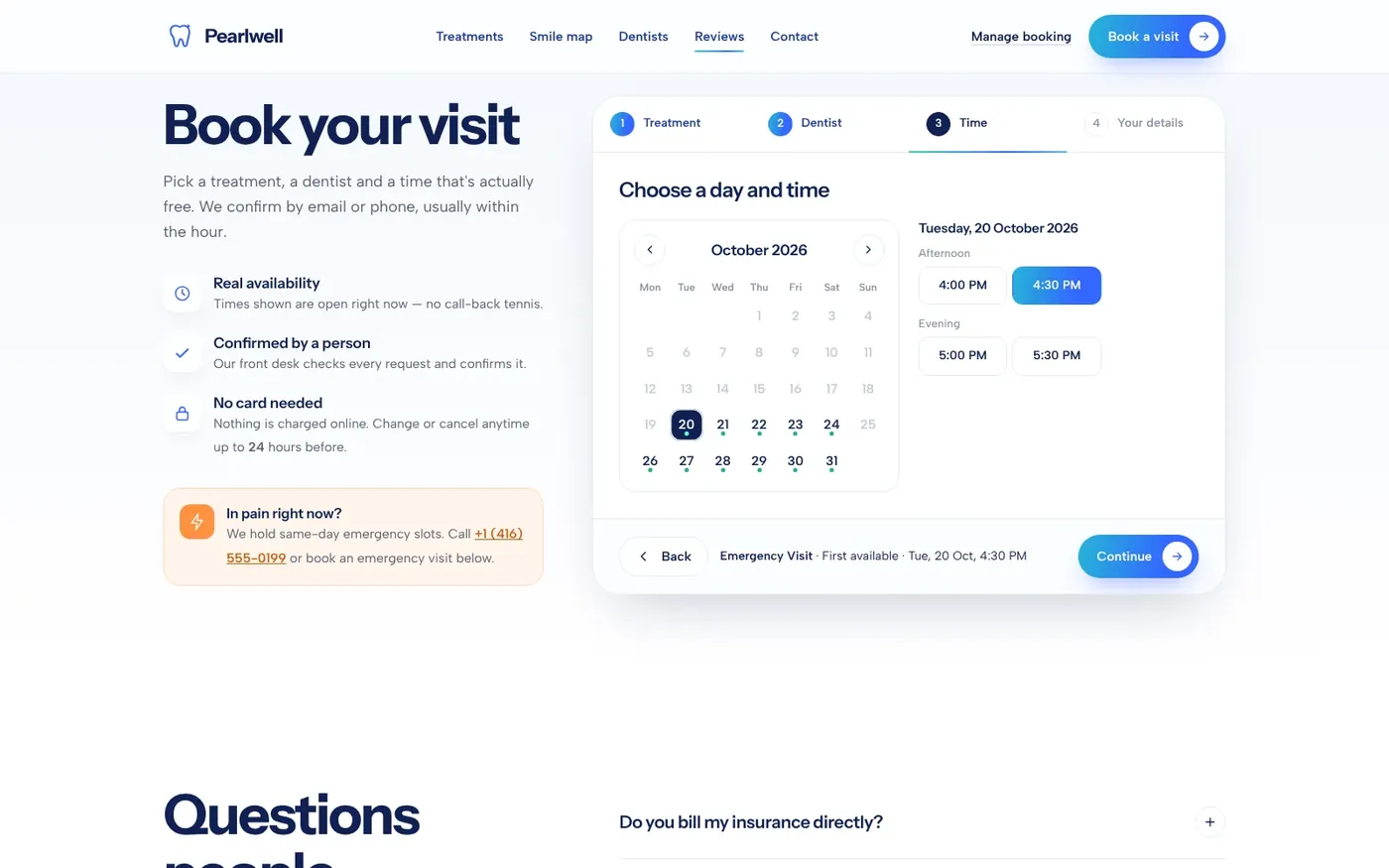
Calla groups free times into morning, afternoon and evening, which makes it quick to scan on a small screen.
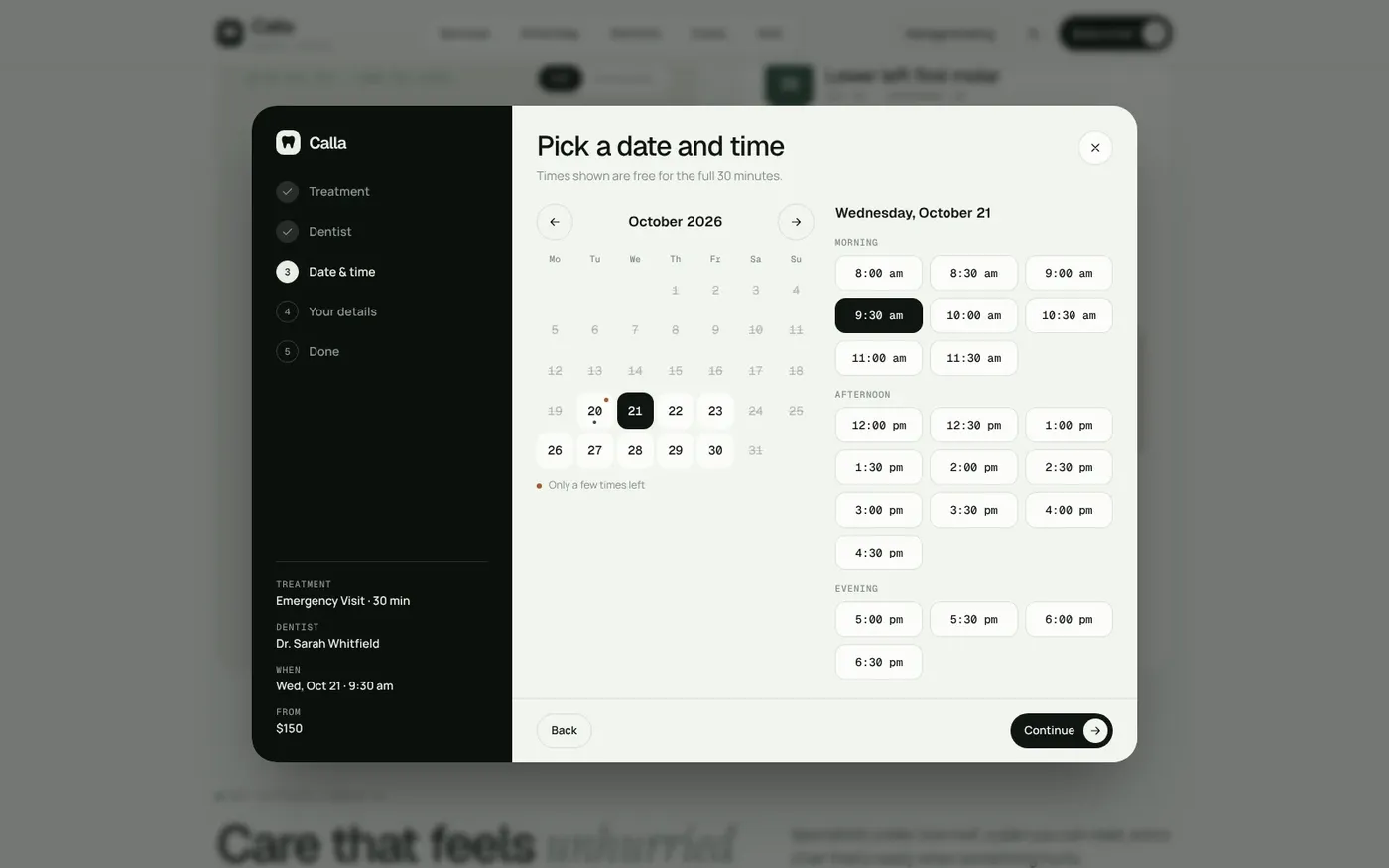
You can try this yourself. Open the Pearlwell live demo and book a test appointment to see how fast it is.
How does a tooth chart help patients book the right visit?
Patients often do not know what to book. They know a tooth hurts. They do not know if that is a checkup, a filling or an emergency. When they guess wrong, your schedule suffers.
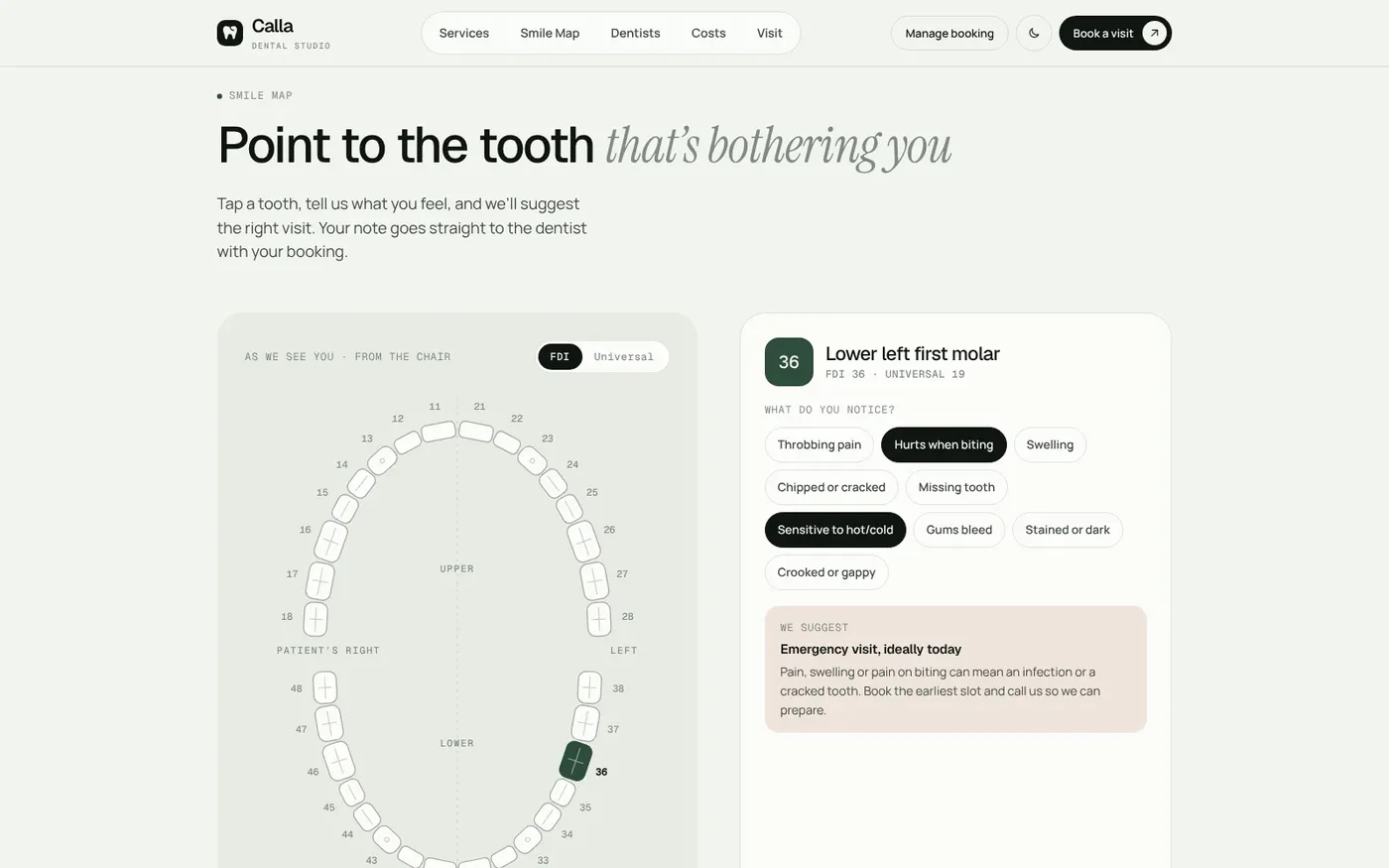
Both sites include an interactive tooth chart called the Smile Map. The patient taps the tooth that hurts and picks what they are noticing, such as "hurts when biting" or "sensitive to cold". On Calla, the chart then suggests a visit type. Pain or swelling points to an emergency slot. A gap points to an implant consult. Calla supports both FDI and Universal tooth numbering.
The key detail is that the tooth and symptoms travel with the booking. Your dentist sees which tooth and what the patient reported before the patient sits down. This is a booking aid, not a diagnosis. Your clinical team still decides the care.
Should a dental website show prices and insurance estimates?
Cost is one of the most common reasons patients call before booking. If your site answers it, fewer people hang up undecided.
Pearlwell lists every treatment with its price. Patients tick what they are considering, set their insurance cover and see their share. They can also see it split over 6 or 12 months. Calla has a cost planner that works the same way: add treatments, pick an insurance coverage level and see an out-of-pocket estimate before booking.
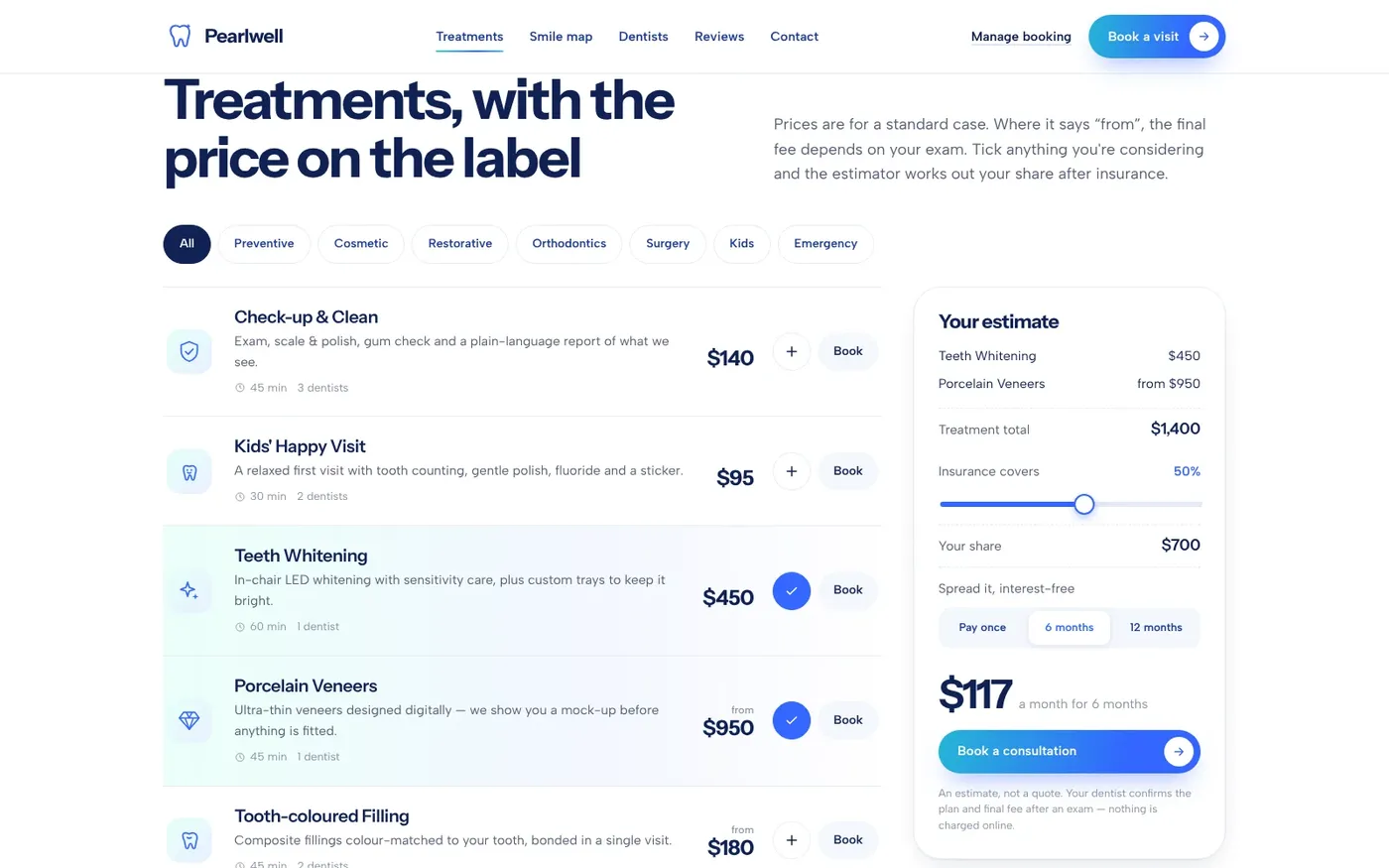
Make it clear these are estimates. Final costs depend on the exam and the patient's actual plan. You set the prices and the wording, so you stay in control of what patients see.
How should your front desk confirm online bookings?
Online booking only works if someone confirms each request quickly. That job should take seconds, not a stack of sticky notes.
Both sites come with a password-protected front-desk panel. New requests wait in a confirmation queue on the first screen. One click confirms a booking. On Pearlwell, confirming emails the patient automatically and gives your team a ready-written WhatsApp message. On Calla, confirming opens a ready-written message to send by WhatsApp, email or SMS.
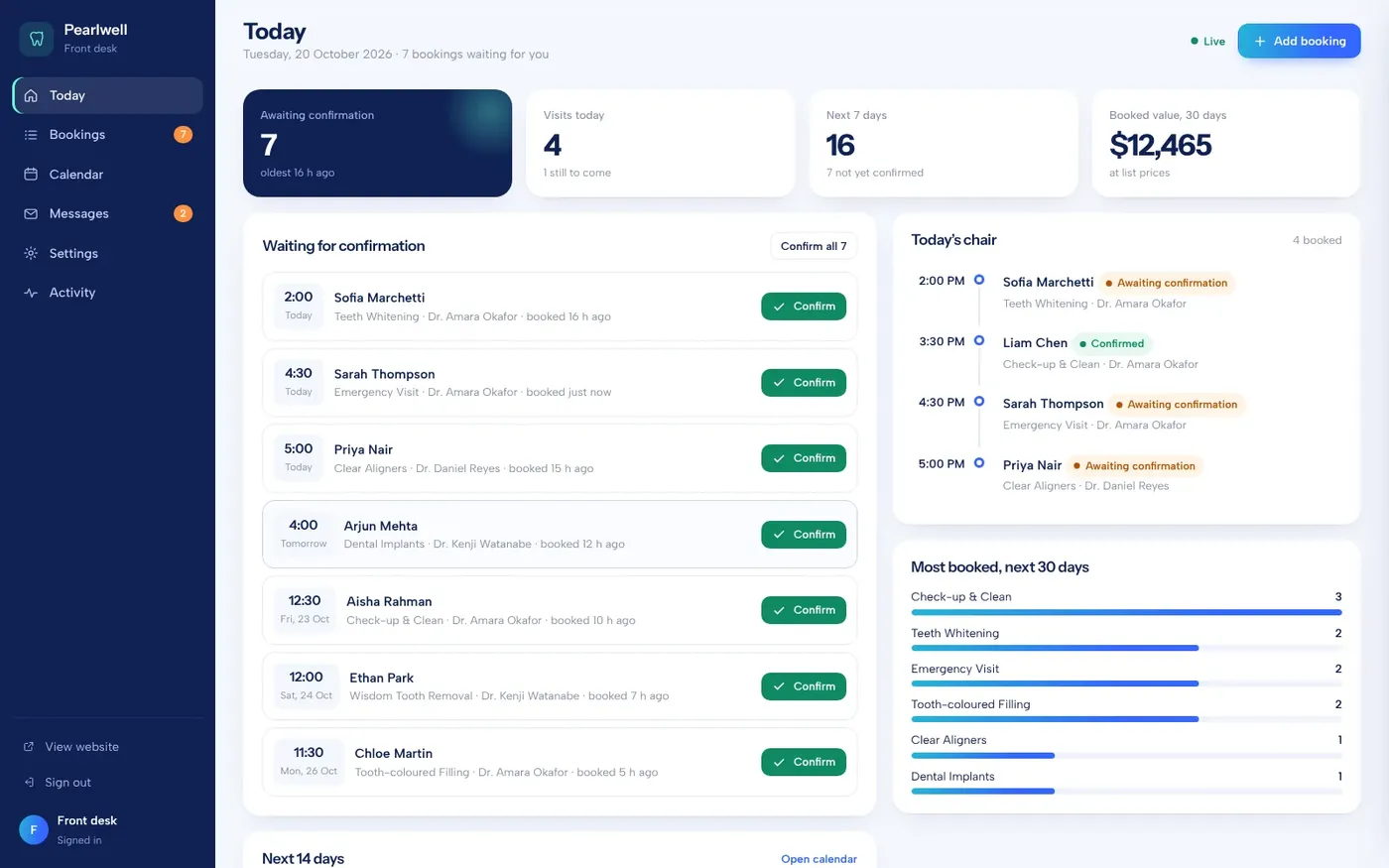
The panel also handles the daily work around bookings:
- Move a booking to another dentist or day. Only free times are offered, so double bookings cannot happen.
- Add phone and walk-in bookings using the same free-slot rules as the website.
- See a week calendar across all dentists, colored by status.
- Set each dentist's days off and treatments, plus opening hours and holidays.
- Edit the wording of confirmation, reschedule and cancel messages.
- Filter all bookings and export them to CSV.
Pearlwell also has an auto-confirm switch, plus settings for minimum notice and how far ahead patients can book. Calla adds a chart of each dentist's booked chair time and lets staff mark visits completed or no-show. No developer is needed for any of these changes. Open the Calla live demo to see its front-desk flow.
Why patient self-service and mobile design matter
Every "did my appointment go through?" call is time your team could spend on patients in the chair. Self-service removes most of those calls.
On Pearlwell, patients look up their booking with the reference and the last four digits of their phone. They can add it to their calendar or cancel online, within the cancel window you set. On Calla, patients use the reference and their email, see the booking marked Confirmed and can cancel online.
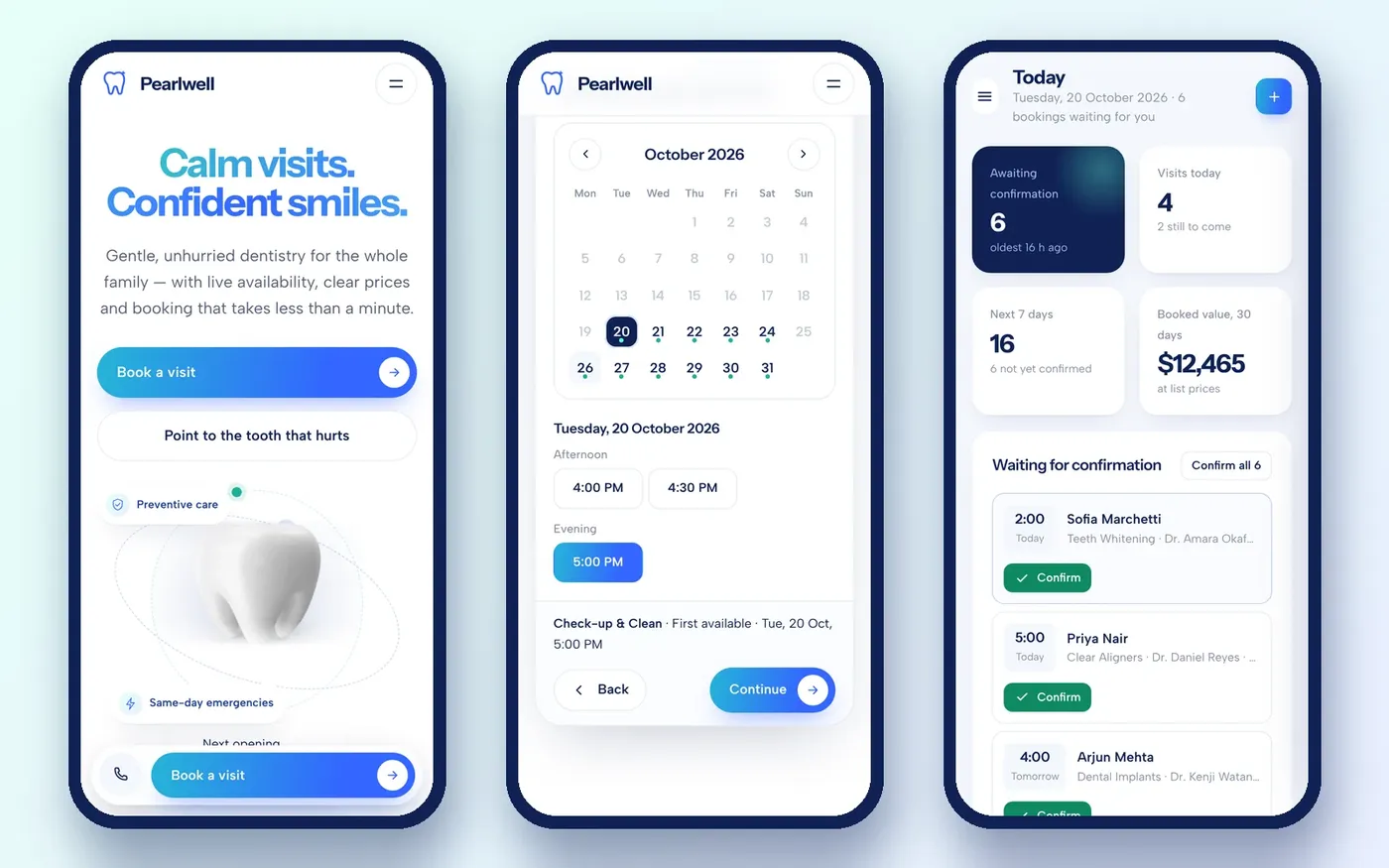
Mobile is not optional. Many patients will book from a phone, often while in pain. On both sites, the website, the booking flow and the admin panel all work on a phone, so your team can confirm requests away from the desk too.
One more note. Online booking collects patient information. Rules such as HIPAA may apply to how you collect, store and send it. Check your setup with your compliance advisor before launch. This guide is not legal advice.
Checklist: is your dental website ready for online booking?
Use this list on your current site, whether or not you ever work with us:
- Patients can book online without calling.
- Only genuinely free times are offered, per dentist.
- Holidays and each dentist's days off are blocked automatically.
- Patients can show which tooth hurts or describe the problem.
- Treatment prices or starting prices are listed.
- An insurance or payment estimate is available, clearly marked as an estimate.
- Every request gets an instant reference.
- Your team confirms requests from one queue and messages patients quickly.
- Patients can check or cancel their own booking.
- Everything works on a phone, including the staff side.
- Your compliance advisor has reviewed how patient data is handled.
If you are missing three or more, the website is probably costing you bookings.
How to get a dental website like Pearlwell or Calla
Both sites are ready-made websites, $1,000 one-time each. We rebrand the one you choose with your practice name, logo, colors, content and photos, connect it to your own domain and remove all demo branding. You own the domain, the hosting and the site. They are built to WCAG 2.1 AA accessibility guidelines.
The process is simple:
- Try both demos. Open the Pearlwell live demo and open the Calla live demo, then book a test appointment on each.
- Send an enquiry from our ready-made websites page or our contact page.
- We reply within one business day. Payment comes only after that reply.
- Send us your branding and content, and we set it up on your domain.
Need something different? Our custom website plans start at $500, and a Booking Panel add-on is $500. Once the site is live, our marketing team can help bring patients to it, with a free one-month demo. We are a remote team with no US office, and we work with practices across the country.
Want this done for you?
Ready-made websites from $500. Fixed prices, no contracts, and you own every account.