Quick answer
A restaurant website with online ordering lets guests browse your menu, add dishes to a cart, pay and track the order on your own site instead of a marketplace app. The essentials are a clear menu with add-to-cart, dish options, a simple cart, a short checkout, several payment choices, order tracking and table booking. Owning that flow means owning the customer relationship.
Key takeaways
- Your own ordering site keeps the customer, the data and the brand with you.
- A good flow is menu, cart, checkout, payment, confirmation and tracking.
- Table booking belongs on the same site as ordering.
- Most guests will order on a phone, so design for the phone first.
Why should a restaurant take orders on its own website?
Marketplace apps are good at one thing. They bring hungry people to a list of restaurants. The problem is that the guest becomes the app's customer, not yours. The app holds the name, the email, the order history and the next promotion. You get the ticket.
When guests order on your own website, the relationship stays with you. You know who ordered, what they liked and when they last came back. You decide the offers. Your brand is the only brand on the screen.
This does not mean you must quit every app. Many restaurants use apps for discovery and their own site for regulars. The goal is simple. Give your loyal guests a direct way to order and book, and make that way the easiest one.
Your own site also lets you set your own rules. You choose the menu layout, the coupon codes, the delivery area and the photos. Nobody ranks you against the place next door on your own homepage.
What does a restaurant online ordering flow need?
Every ordering site follows the same basic path. If one step is confusing, people leave. Here is the order guests expect:
- Menu. Dishes with photos, prices and a clear add-to-cart button.
- Dish options. Size, spice level, add-ons or removals, chosen before the item hits the cart.
- Cart. A summary they can edit, with a place to enter a coupon.
- Checkout. Delivery details in as few fields as possible.
- Payment. More than one way to pay, with a verification step for cards.
- Confirmation. A clear payment successful screen so nobody orders twice.
- Tracking. A live status so guests stop calling to ask where the food is.
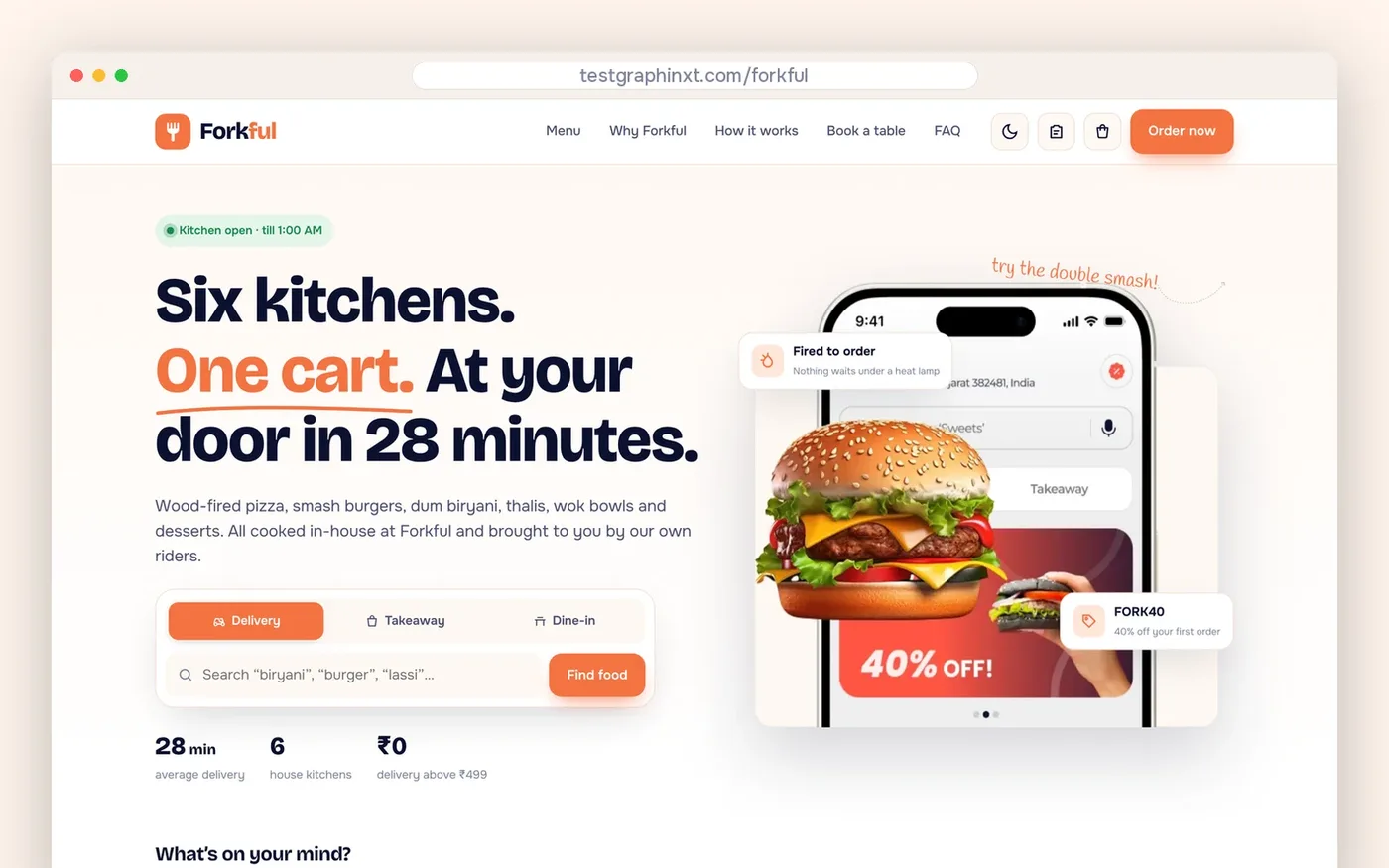
Our ready-made restaurant site, Forkful, follows this exact path. You can click through it on the live Forkful demo as you read the rest of this guide.
How should the menu and cart work?
The menu is your sales floor. Each dish needs a name, a short description, a price and a photo that looks like the real plate. The add-to-cart button should sit right on the dish card. Guests should not have to open a new page to order a burger.
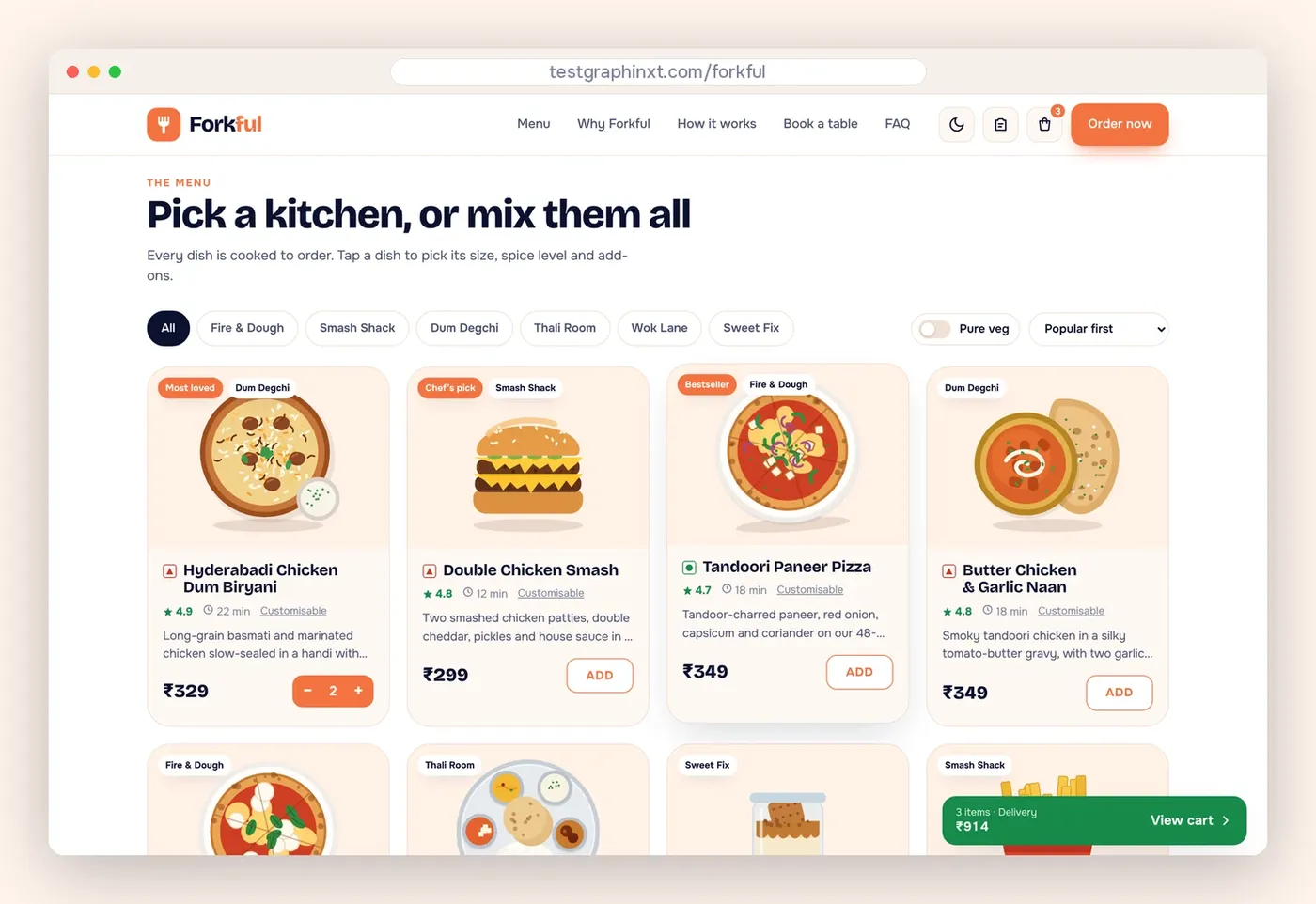
Dish customization matters more than most owners think. If a guest cannot remove onions or pick a size, they either skip the dish or call the restaurant. Forkful opens a customization panel before the dish goes into the cart.
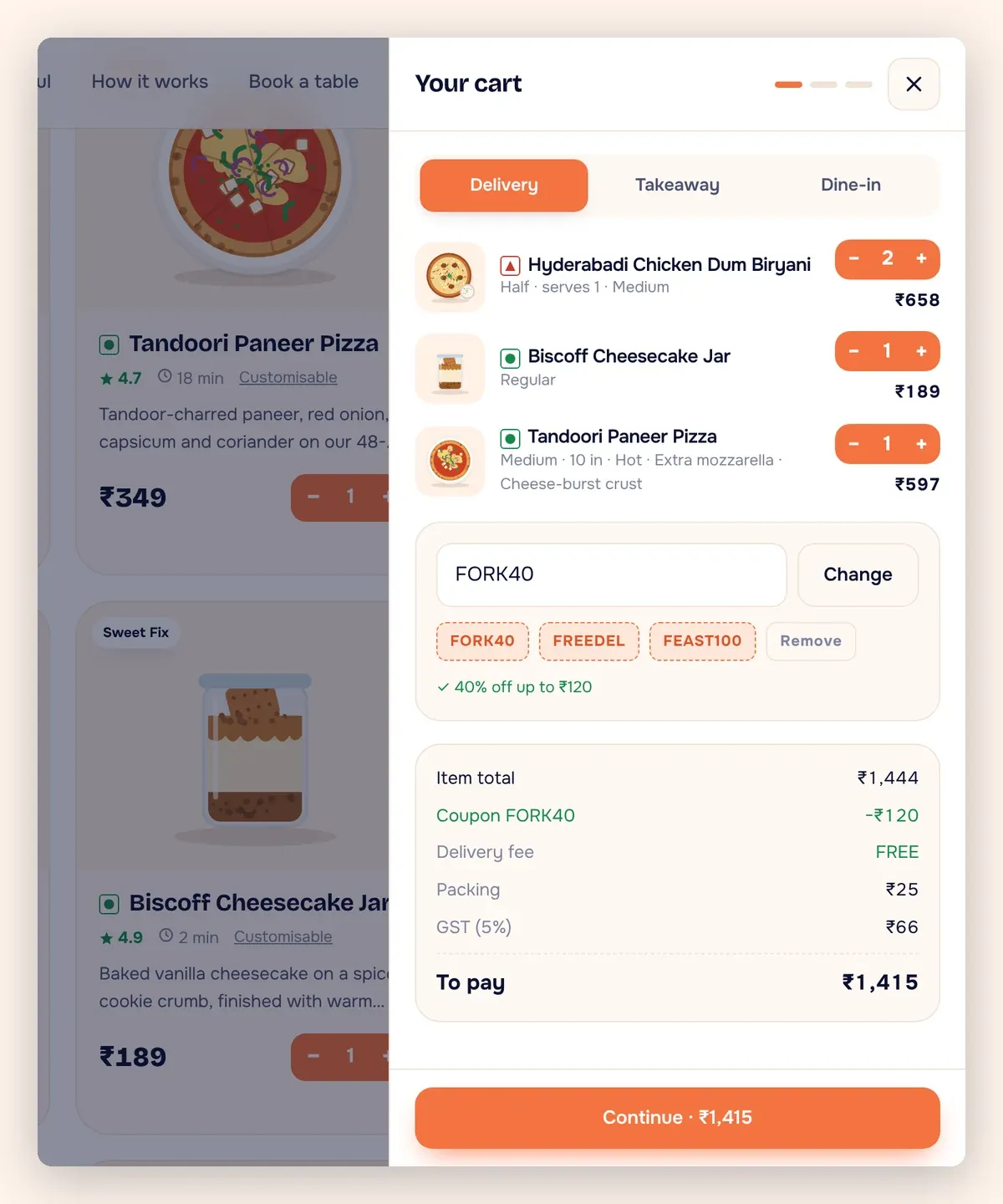
The cart should be easy to edit. Guests want to change quantities, remove items and see the total update right away. A coupon field in the cart gives you a simple way to reward regulars and run your own promotions.
Forkful also groups dishes by kitchen. Its demo headline reads "Six kitchens. One cart. At your door in 28 minutes." You can change that line to match your own promise. The setup suits food halls, cloud kitchens and groups that run several brands from one location. A single restaurant can use one kitchen instead.
What payment options should a restaurant website offer?
Payment is where most abandoned orders happen. The guest has chosen the food and is ready to pay. Anything that slows them down now costs you the sale.
Three things help:
- Choice. Offer card payment plus other common methods your guests already use.
- Trust. Show a verification step for cards so guests feel the payment is protected.
- Clarity. End with a payment successful screen that confirms the order and the amount.
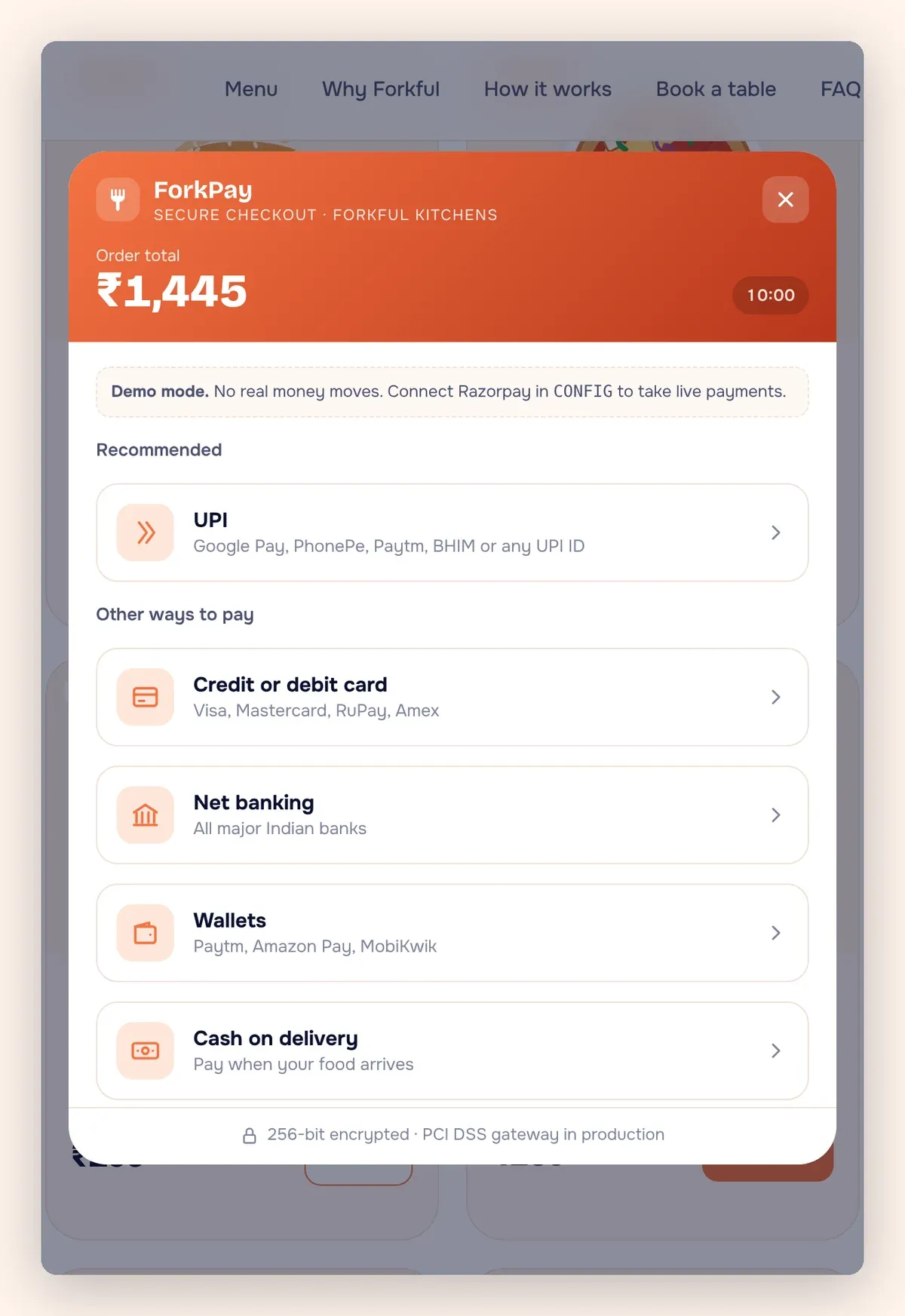
The Forkful demo shows each of these screens. Card payment includes a verification step, and the flow ends on a clear success page. Which payment provider goes live on your site, and on whose account, is agreed in writing before launch. Ask us which methods suit your location before you buy.
Should table booking live on the same website?
Yes. Ordering and booking are two sides of the same guest. Someone who orders delivery on a Tuesday may book a table for a birthday on Saturday. If both happen on your site, you see the whole picture.
A booking form should ask only what you need: date, time, party size, name and phone number. After that, the guest should see a booking confirmed screen right away. A confirmation removes doubt and cuts down on phone calls.
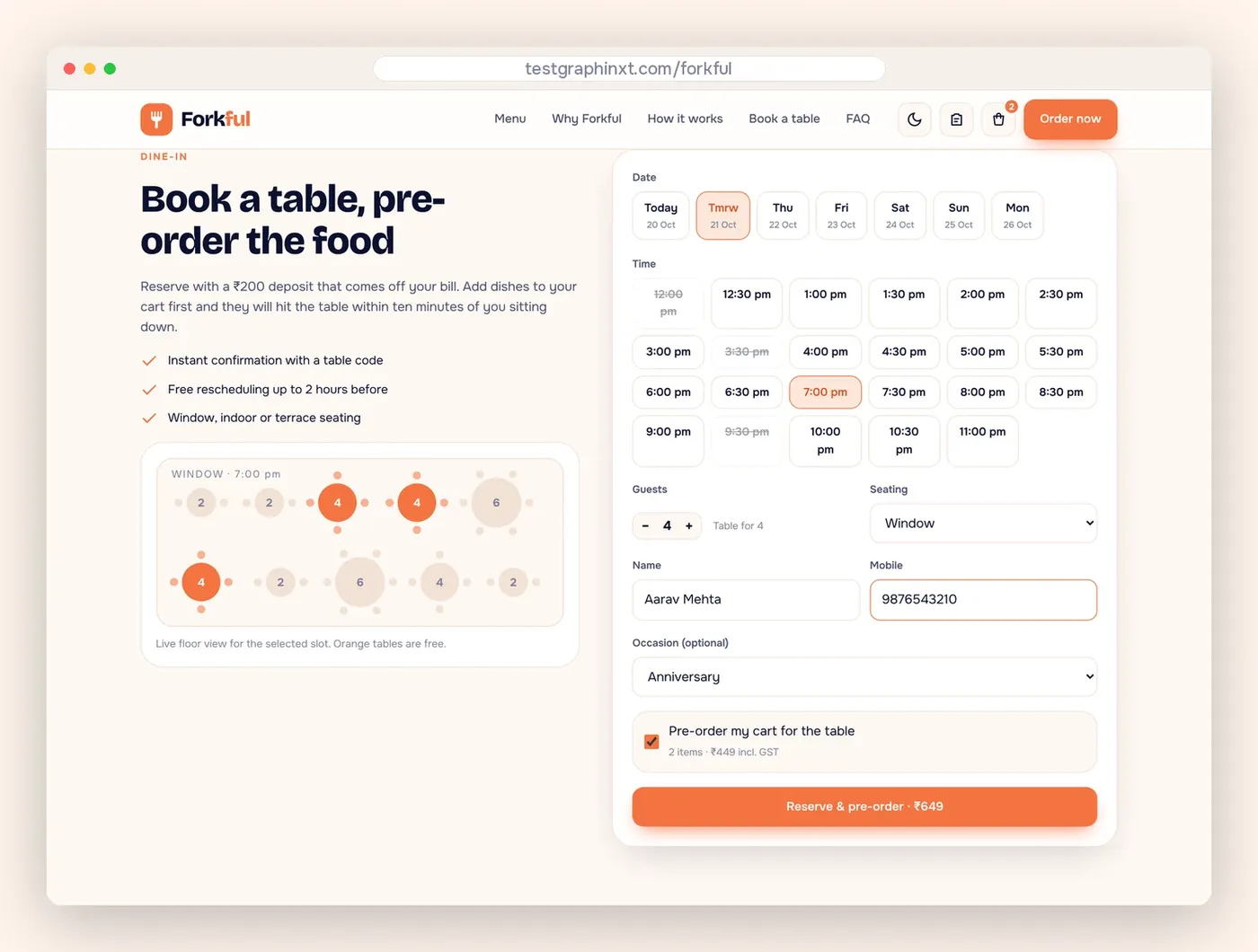
Forkful includes both table booking and a booking confirmed screen. Try a booking on the Forkful demo to see how few steps it takes.
Why does live order tracking matter?
The most common call a busy restaurant gets is "Where is my order?" Every one of those calls pulls a staff member away from the line. Live tracking answers that question before it is asked.
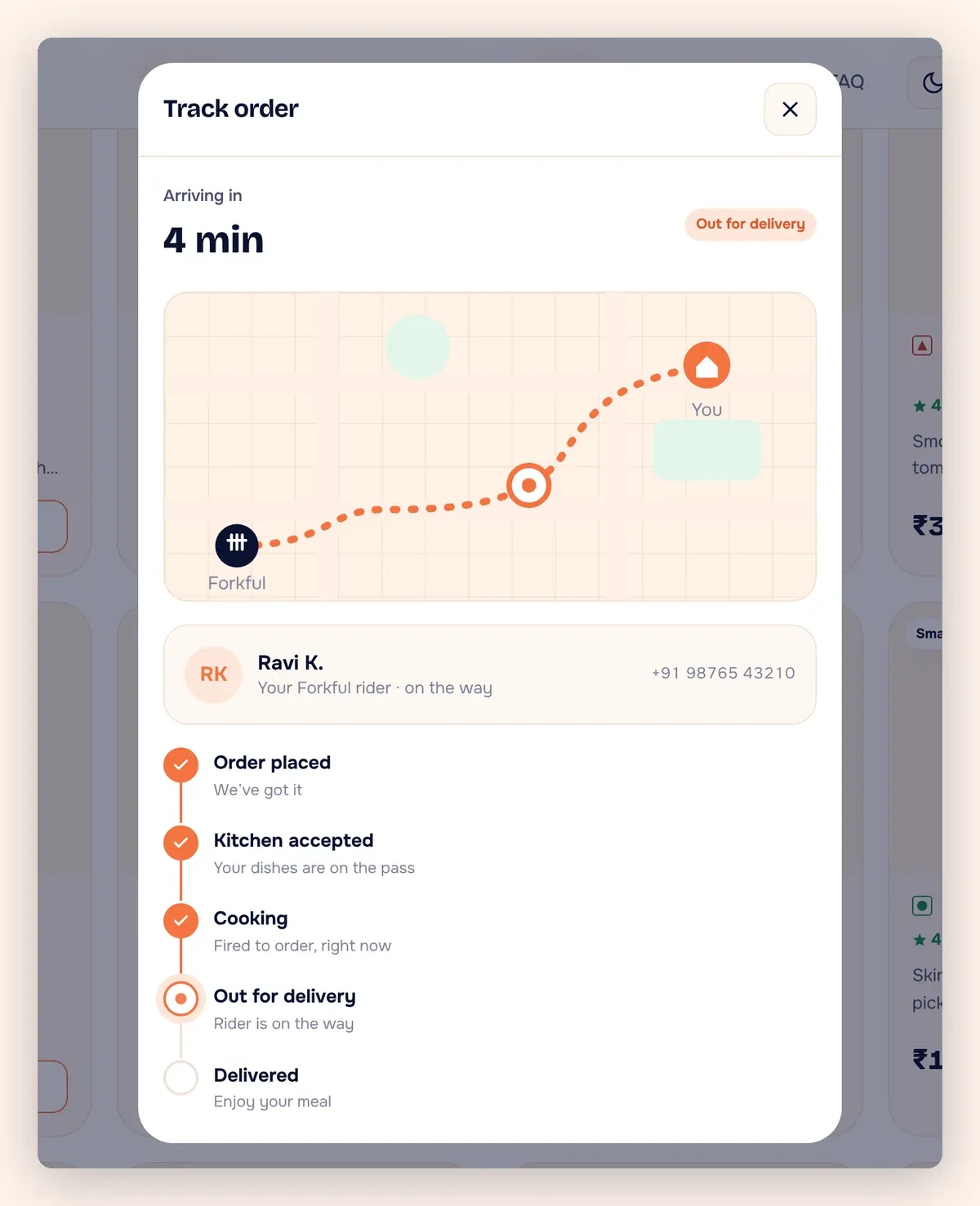
Tracking also helps repeat business. Forkful has a my orders page with a reorder button. A regular who orders the same dinner every Friday can repeat it in a couple of taps. That is the kind of habit a marketplace app wants to own. On your own site, you own it.
A "how it works" section on the homepage helps first-time guests too. It explains the steps in plain words, so nobody feels lost when they place their first direct order.
How do you make restaurant ordering work on phones?
Most food orders start on a phone. Guests are on the couch, at work or on the way home. If your menu is hard to tap or the cart hides behind a tiny icon, they will open an app instead.
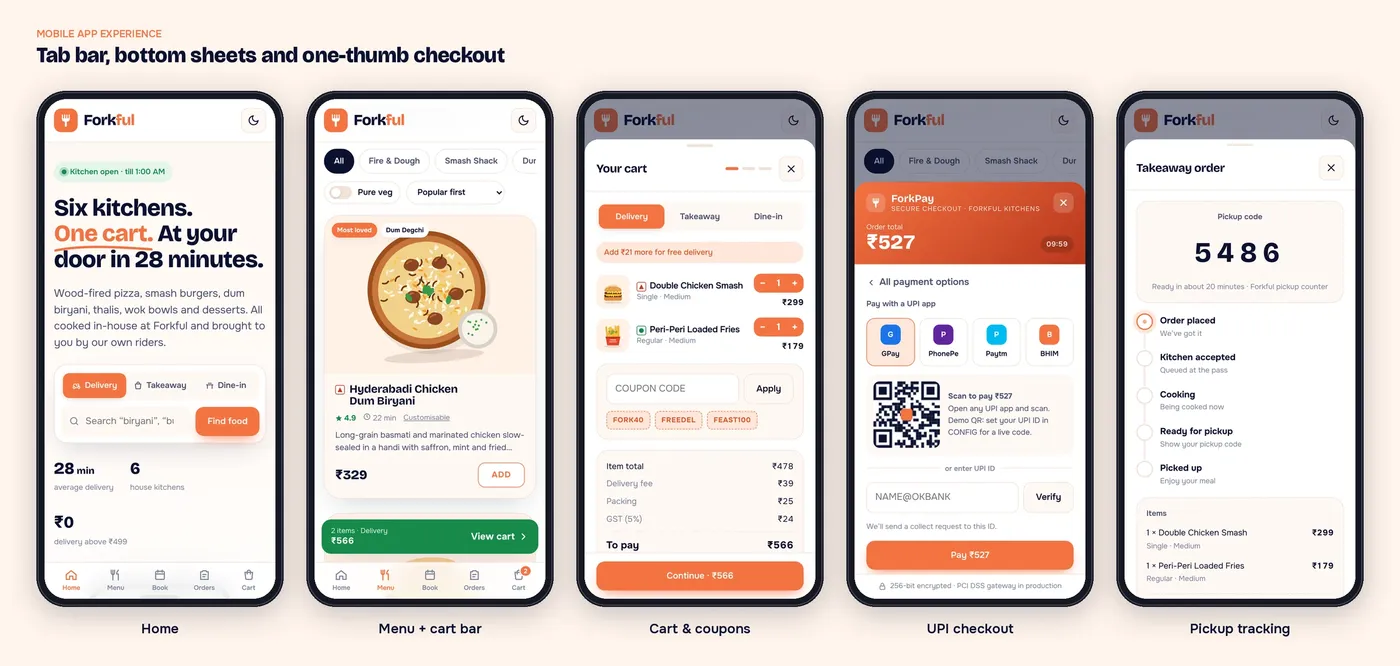
Use this mobile checklist on any restaurant site, including your current one:
- Add-to-cart buttons are large enough for a thumb.
- The cart is always one tap away.
- Checkout fields use the right phone keyboard for numbers and email.
- Photos load quickly on mobile data.
- The phone number and address are easy to find.
- Dark mode is available for late-night ordering.
Forkful uses an app-style mobile layout and includes a dark mode. It is a website, so guests do not need to download anything.
How to launch your own restaurant ordering website
You can build an ordering site from scratch or start from a ready-made one. A ready-made site is faster because the flow is already designed and tested. We rebrand it with your name, logo, colors, menu and photos, connect it to your own domain and remove the demo branding. You own the domain, the hosting and the site.
The process is simple. Send an enquiry from the ready websites page. We reply within one business day, and payment comes after that reply. Forkful is priced on request because menus and kitchen setups vary.
If you need something fully custom, our web development plans include an Advanced plan at $1,500 for e-commerce, booking and payments. Once you are live, our marketing team can help bring guests to your direct ordering page. Have questions first? Contact us.
Want this done for you?
Ready-made websites from $500. Fixed prices, no contracts, and you own every account.