Quick answer
A bike shop website that sells well online answers the questions a rider would ask in the store. It helps them filter the catalog, pick the right frame size, add parts and accessories, book workshop services, see when shipping becomes free and pay in installments if they want. Behind the scenes, an orders desk keeps every sale moving.
Key takeaways
- Fit is the biggest worry with an online bike purchase, so add a size finder.
- Let riders book fittings and tune-ups in the same checkout as products.
- A free-shipping meter and promo codes encourage larger orders.
- An orders desk lets you move each sale from paid to shipped.
Why is selling bikes online harder than selling other products?
A bike is not a T-shirt. It is a large purchase, it has to fit the rider and it often needs service after the sale. In a store, a good salesperson handles all of this in a short conversation. Online, your website has to do that job.
Riders who shop online for a bike tend to worry about the same things:
- Will this frame size fit me?
- What are the real specs, and how does this model compare to others?
- Can I get it fitted or tuned after it arrives?
- How much is shipping?
- Can I spread the cost?
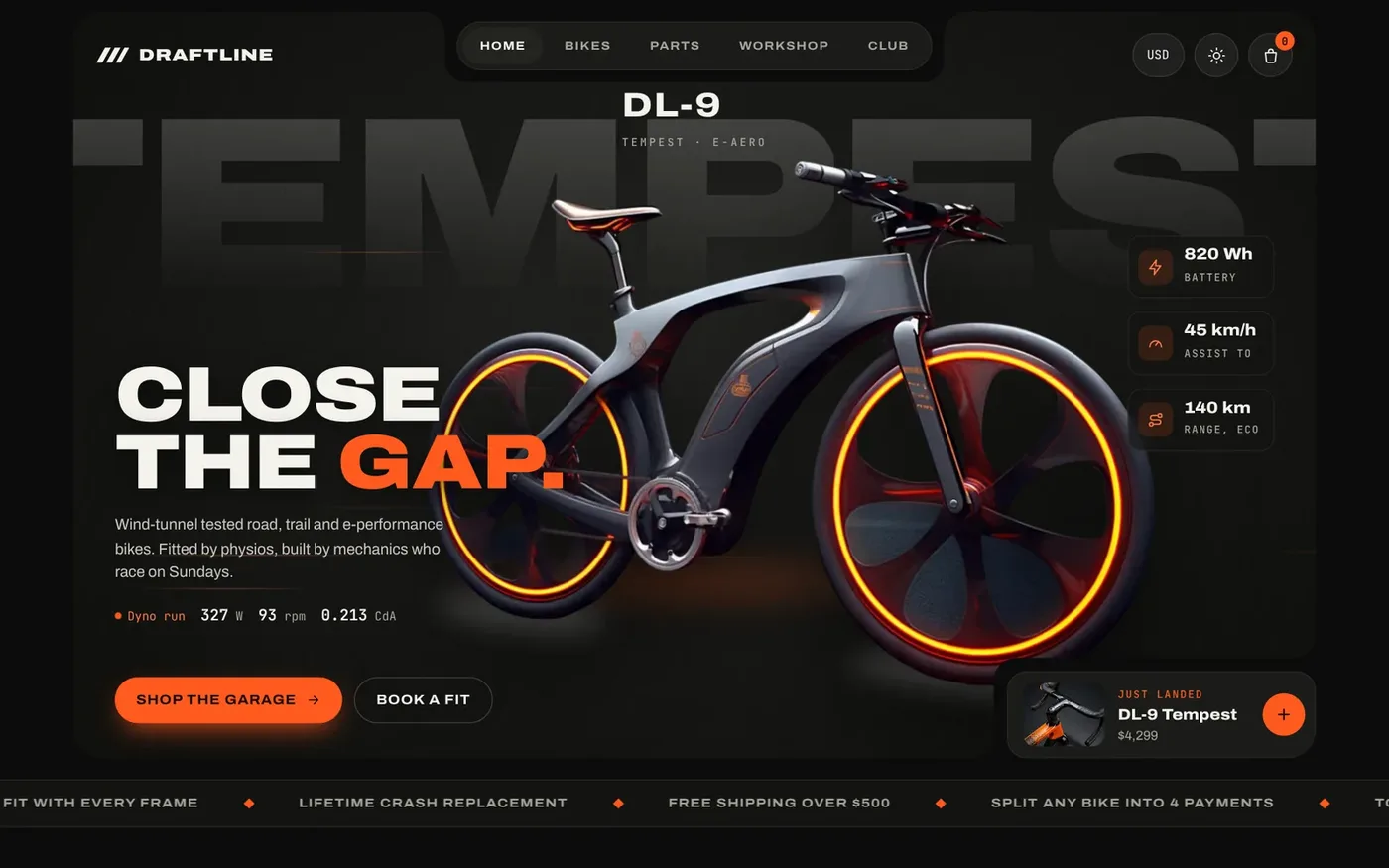
A good bike shop website answers each of these questions on the page, before the rider has to email you. This guide walks through each answer using Draftline Cycles, our ready-made bike store. You can open the live Draftline demo and follow along.
How should a bike shop catalog be organized?
Riders shop by terrain and purpose first. Road riders do not want to scroll past trail bikes. Start with a few clear categories, then let people narrow down.
Draftline uses four category cards: Road, Trail, E-Performance and Components. Each one jumps straight to a filtered product grid. Inside the grid, riders can use category chips, live search and sorting by price or weight.
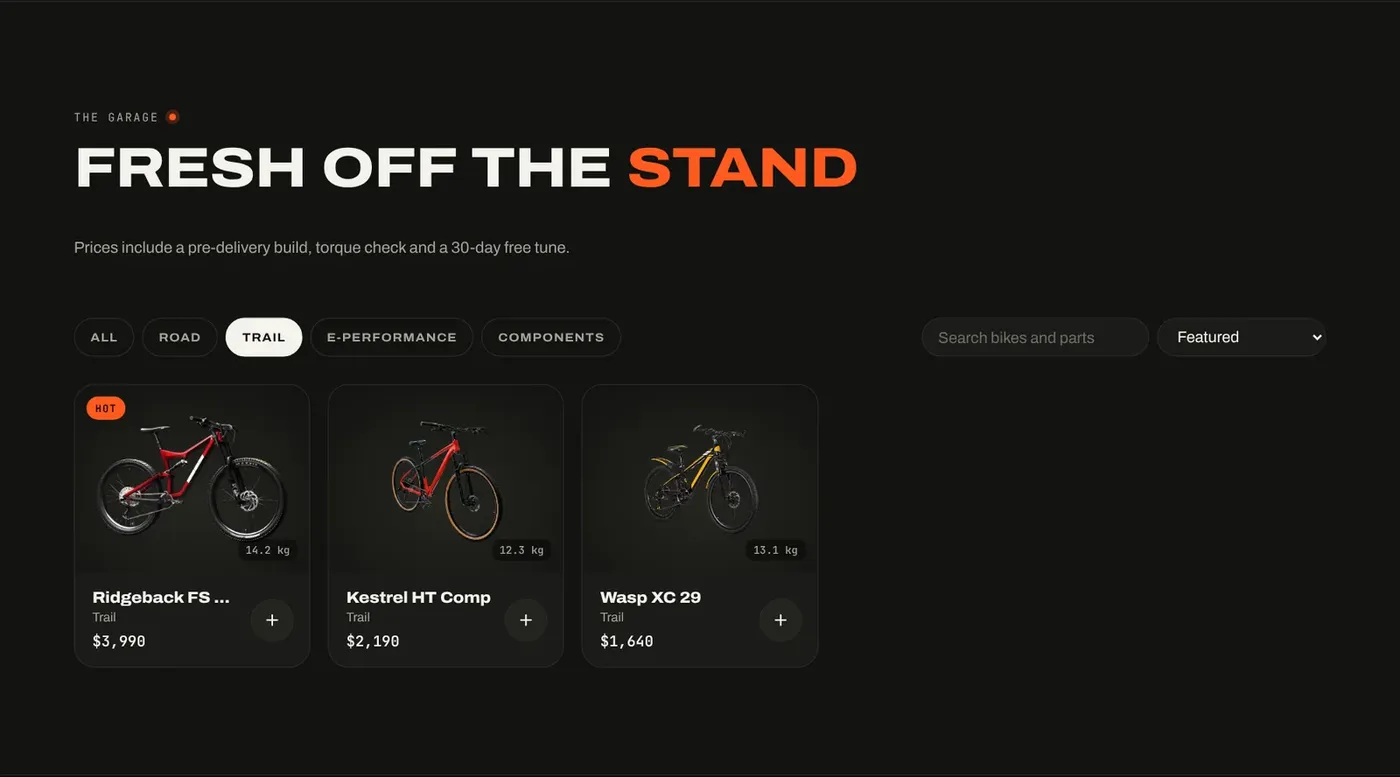
Each product card shows the weight, a badge such as New, Race or Hot, and a quick-add button. Weight matters to cyclists, so it belongs on the card, not buried in a spec sheet.
Parts and accessories need their own spot too. Draftline has a swipeable components rail with weight and price on each item. That makes add-on sales easy, because riders see pedals and wheels while they are already thinking about a bike.
How do you help riders choose the right frame size online?
Fit is the single biggest reason riders hesitate to buy a bike online. A wrong size means a return, a repack and a frustrated customer. A size finder takes much of that guesswork away.
In Draftline, every bike opens in a quick view. The rider sees specs, finish colors and available frame sizes. Then they type their height, and the size finder selects the matching frame for them.
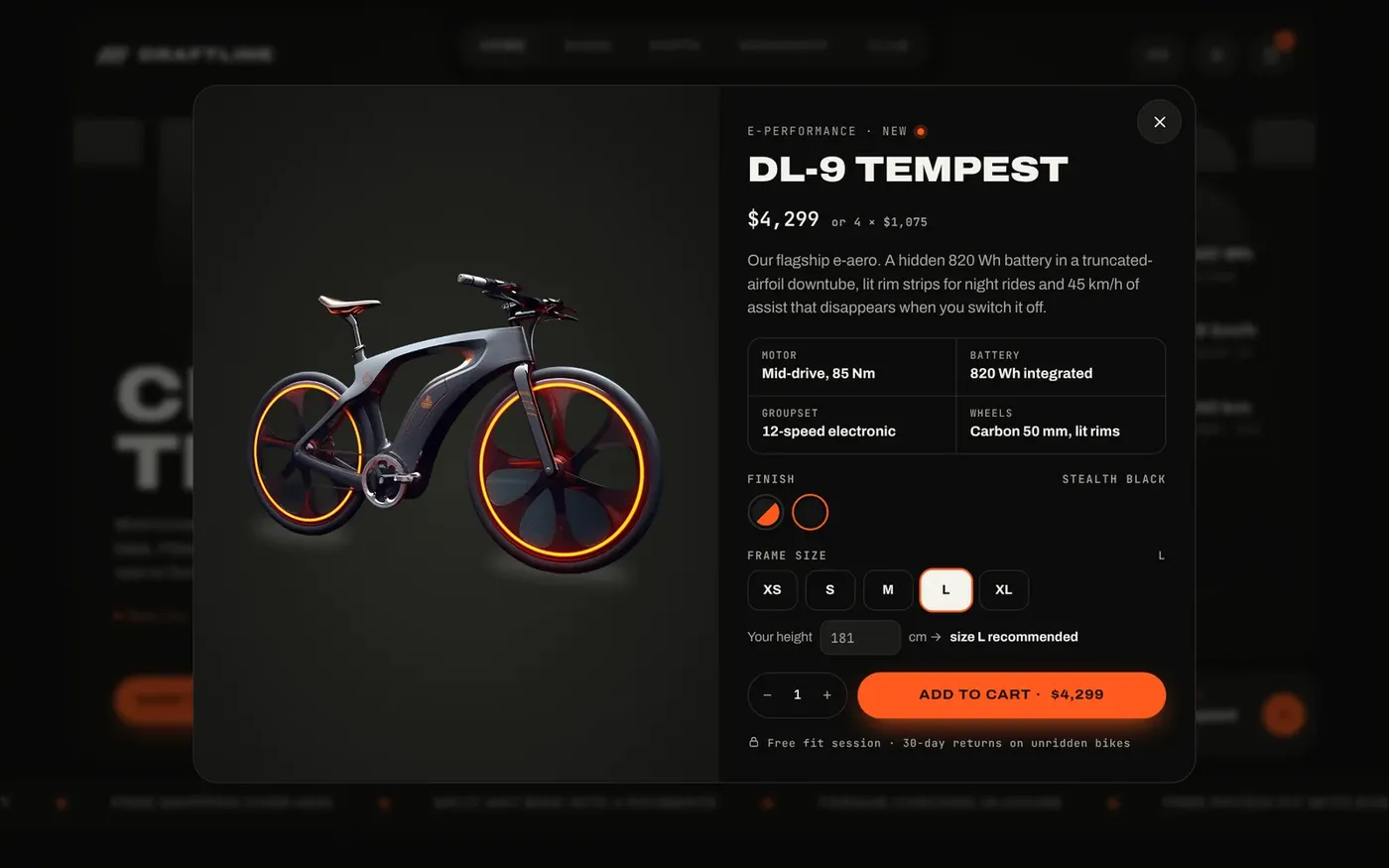
Quick view also keeps people shopping. They can check a bike's details without leaving the grid, then close it and look at the next one. Fewer page loads means less chance they wander off.
A tip for your own size chart: use the sizing your brands publish, and keep it the same across the site. If the size finder and the product page disagree, riders lose trust fast.
Should a bike shop sell workshop services online?
Yes. Your workshop is often what sets you apart from a big online retailer. Fittings, custom builds, tune-ups and coaching are services a rider cannot get from a warehouse. Put them on the website where people can book and pay.
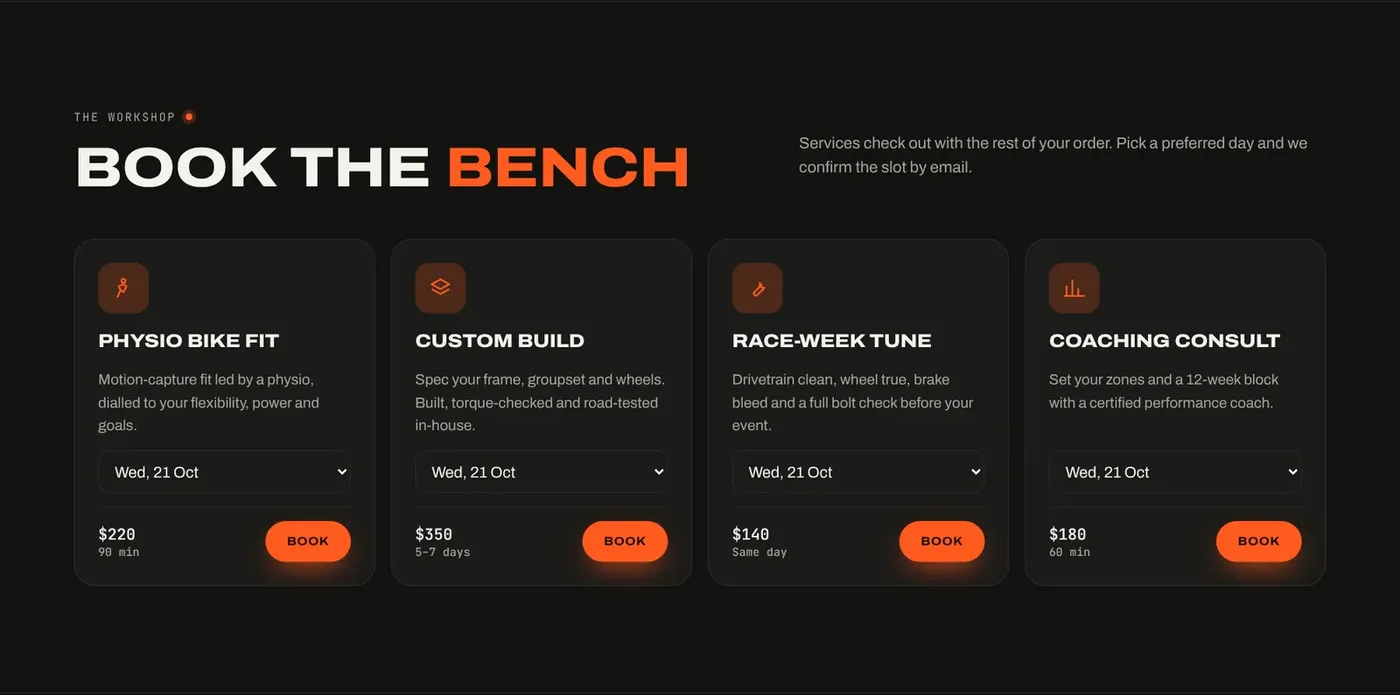
Draftline lists each service as a card with a price, a duration and a preferred day picker. The rider books the service and pays for it in the same checkout as their products. Someone buying a new road bike can add a fitting in one step.
This also gives you a reason for riders to visit the shop. An online sale turns into an in-person visit, which is where relationships with local riders are built.
How do a free-shipping meter and promo codes help?
Shipping cost is a common reason people abandon a cart. A free-shipping threshold gives them a clear goal. A progress meter shows how close they are, which often prompts them to add a bottle cage or a set of lights.
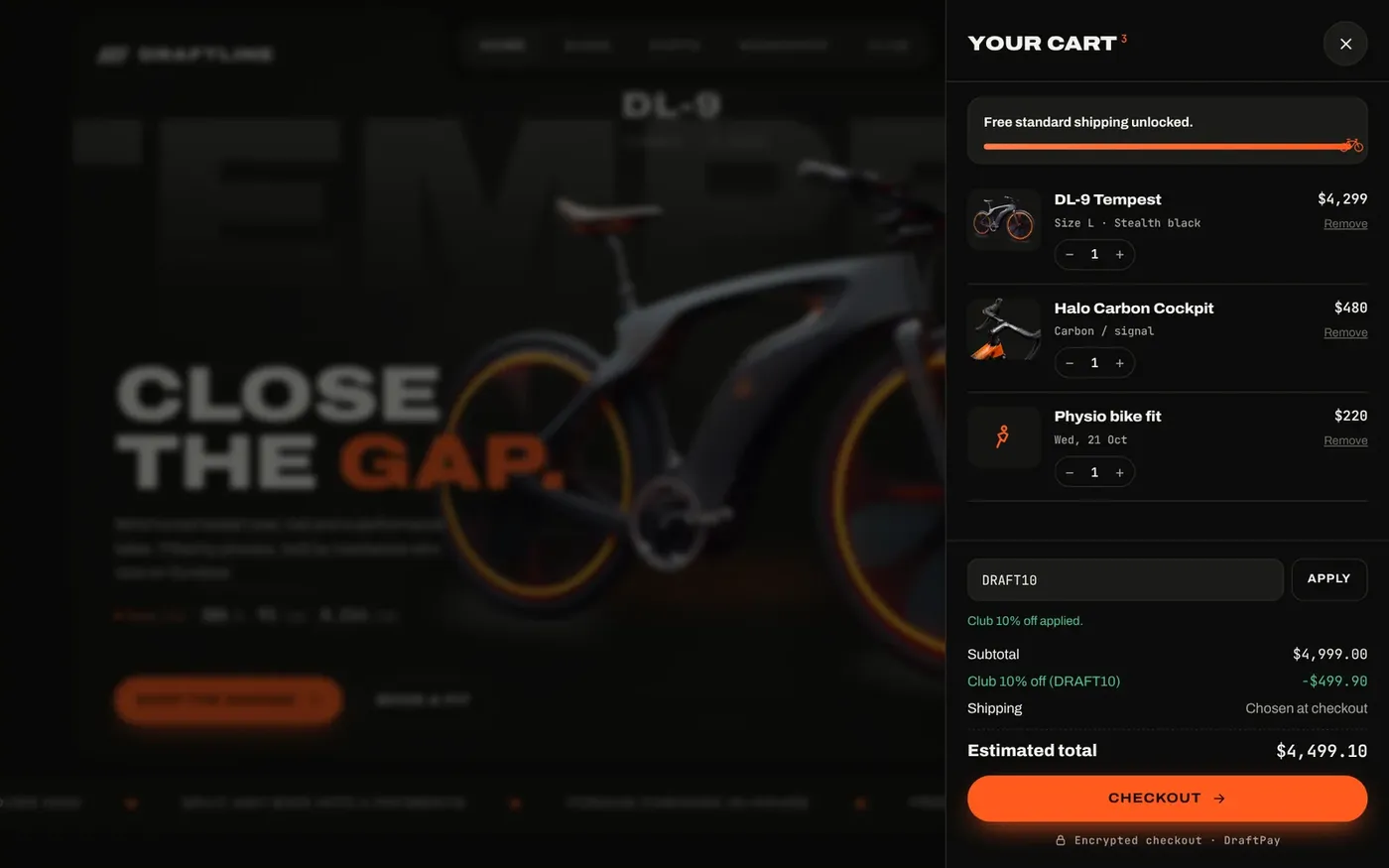
Draftline's slide-out cart shows the free-shipping bar, quantity controls and a promo code field. In the demo, a newsletter code takes 10% off. You can set your own codes and your own threshold.
Checkout then runs as four short steps named Rider, Route, Pay and Finish. The order summary stays visible the whole way, and each field shows a clear error if something is wrong. The delivery step offers standard, express or showroom pickup. Pickup is a good option for local riders who want to see the bike before they ride it home.
What payment options should a bike shop website offer?
High-ticket buyers want choice and reassurance. Draftline's payment step includes card, phone wallet, PayPal and a split-in-4 option. The split option shows the installment schedule up front, so there are no surprises.
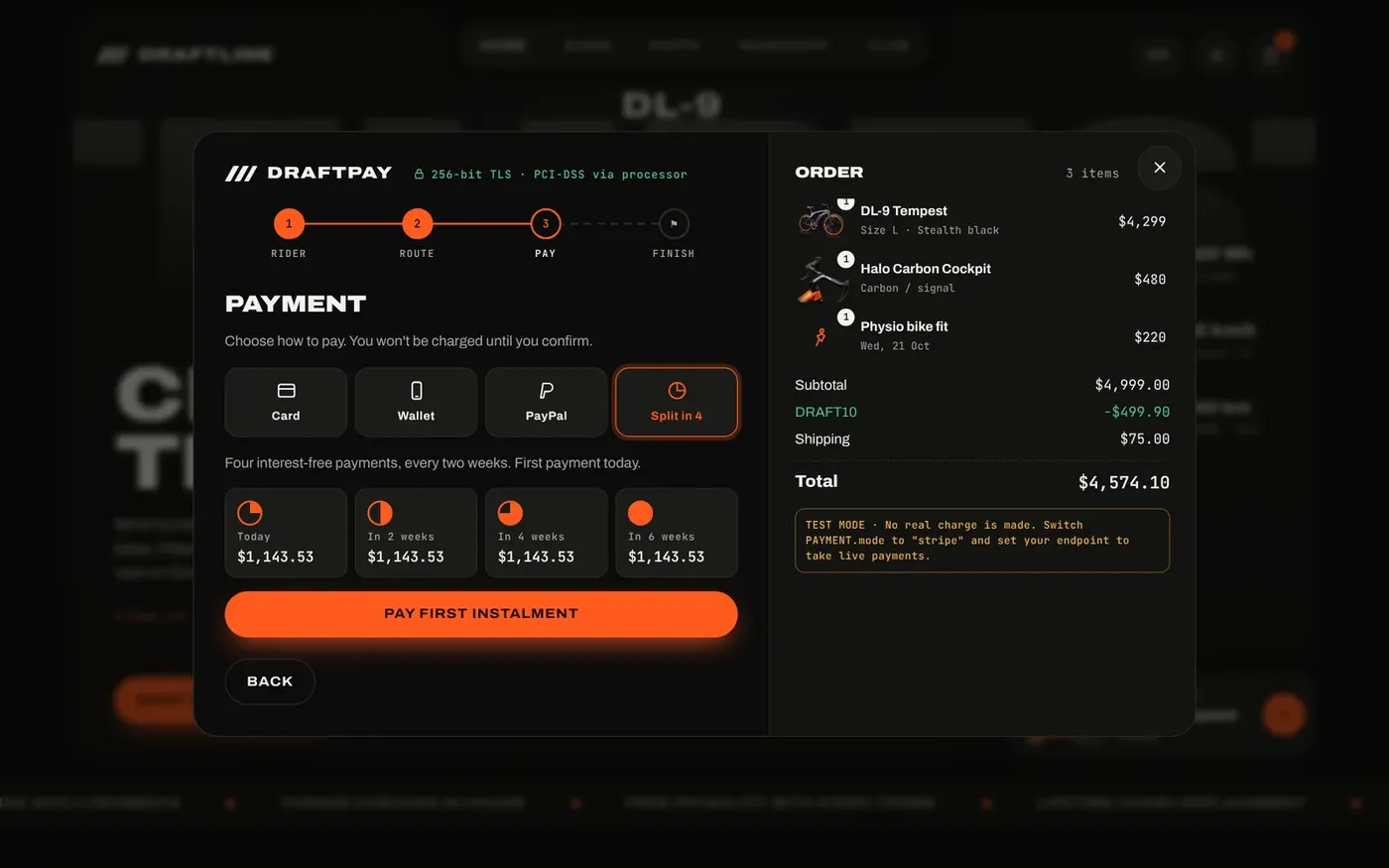
The card form shows a live card preview as the buyer types and checks the number and expiry before submitting. A bank verification step appears before the payment is confirmed. If a card is declined, the buyer is told no money was taken and can try another method without losing the order.
One note for accuracy: the demo checkout runs in test mode and takes no money. When we set up the store for you, we connect payments to your own account. Ask us which providers fit your business before you buy.
How do you manage bike orders after the sale?
A sale is not finished at checkout. Bikes need to be built, packed and shipped, and the rider wants to know where things stand. You need one place to see every order and update it.
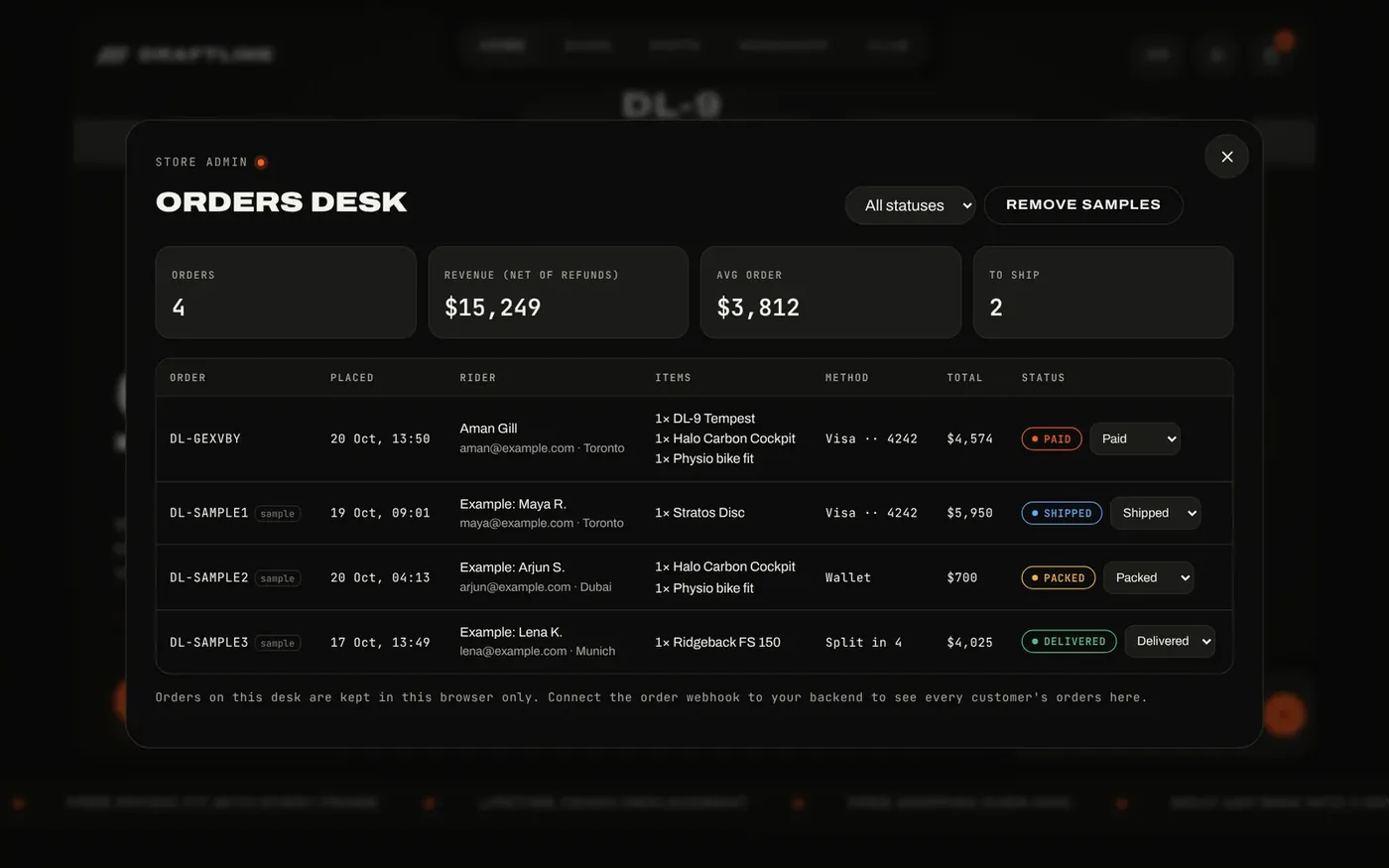
Draftline includes an orders desk for the store owner. It shows totals, revenue and average order value. Each order has a status you can change from Paid to Packed, Shipped, Delivered or Refunded.
Use this checklist to judge any bike shop website, including your current one:
- Categories match how riders shop: road, trail, e-bike, parts.
- Filters, search and sorting work on the product grid.
- Every bike has specs, colors, sizes and a size finder.
- Workshop services can be booked and paid online.
- The cart shows a free-shipping goal and accepts promo codes.
- Checkout offers more than one way to pay.
- An orders desk tracks every order to delivery.
- The store works on phones, in light and dark mode.
How to launch your bike shop website
Draftline also switches prices between six currencies and works on phones, with a two-column product grid and a thumb-friendly checkout. Click through the full flow on the Draftline Cycles demo.
Here is how getting your own version works:
- Send an enquiry from our ready websites page.
- We reply within one business day. Payment comes after that reply.
- We rebrand the store with your name, logo, colors, products and photos.
- We connect it to your own domain and remove the demo branding.
- You own the domain, the hosting and the site.
Draftline is priced on request. For a fully custom store, see our web development plans, where the Advanced plan at $1,500 covers e-commerce, booking and payments. When you are ready for traffic, our marketing services start with a free one-month demo.
Want this done for you?
Ready-made websites from $500. Fixed prices, no contracts, and you own every account.